EasyManua.ls Logo

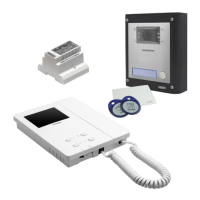
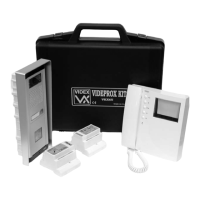
Videx VK4KC - User Manual

Videx VK4KC
36 pages
Print Icon
To Next Page IconTo Next Page
Loading...
66250457-EN - V5.1 - 31/08/20
VIDEOKIT
VK4K/6256 SERIES
“6 Wire bus one way, two way videokit
Installation handbook
VK4KR04A
VK4KXR04A
VK4KCRev.0.5
6256
We recommend
This equipment is installed by a
Competent Electrician, Security or
Communications Engineer
.

Questions and Answers

  • G
    gbradyAug 26, 2025
    How to fix Videx VK4KC when door station doesn't call extension?
    • C
      christopher76Aug 27, 2025
      If your Videx Intercom System's door station isn't calling the extension and the bell LED is on for 2 seconds, the issue could stem from several causes: * Incorrect wiring between the door station and videophone: Check the 6 common wire connections, especially wire “1” (speech line/data). * Insufficient cable size: Increase cable size or double up using two wires for each connection. * Incorrectly programmed videophone address: Verify the videophone address on the dip-switches. * Address change without system reboot: Power down the system and then power it up again to detect the new videophone address.
  • G
    gonzalezkyleAug 25, 2025
    What to do if local call does not work on Videx VK4KC?
    • S
      Stephanie Bond MDAug 26, 2025
      If local calls are not working on your Videx Intercom System, it could be due to a wrong connection or a broken call button. To resolve this, check the connection or replace the button.
  • L
    Laura HallAug 25, 2025
    Why is the intercommunicating call not working on my Videx VK4KC?
    • S
      Scott JamesAug 25, 2025
      If the intercommunicating call feature is not working on your Videx Intercom System, it could be because the ”Key” button was pressed a number of times different from the videophone address value. To solve this, check the address of the videophone you are calling and try again, pressing the “Key” button the correct number of times.

Videx VK4KC Specifications

General IconGeneral
BrandVidex
ModelVK4KC
CategoryIntercom System
LanguageEnglish

Related product manuals