Carousel Mate - Service Manual
Page 16
CarouselMate_sm-1300-01-Oct2014
Service: 1-866-821-2647
Oce: 1-800-210-0141
www.storevertical.com
OPERATING INSTRUCTIONS
How to check counter calibration
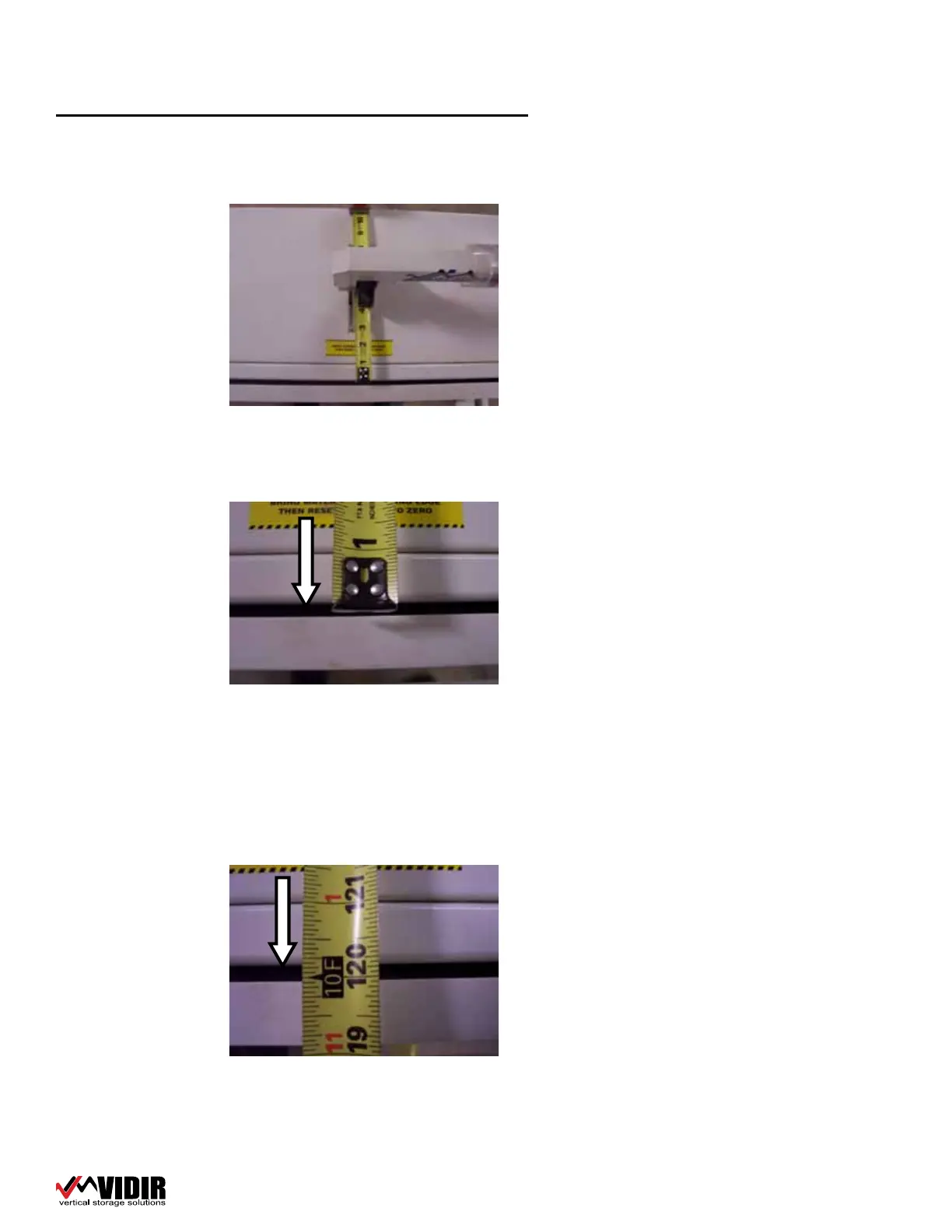
1� Place a tape measure under the counter hold down weight�
2� Lower counter hold down weight�
3� Pull tape measure until the hook is at the edge of the cutting bar�
4� Reset the counter to zero�
5� Pull the tape measure through until the 10 foot mark is at the edge of the
cutting bar� (same place as at the start)
6� Read counter display�
7� Counter display should be within ½ inch of 10 feet�
8� If counter is not accurate repeat the test�
9� If reading is dierent then repeat the test until you have a consistent read-
ing�
10� If the reading is consistently o, the counter needs to be recalibrated�
11� Call Vidir Machine service at 1-866-821-2647 to assist you with this proce-
dure�


 To Next Page