Carousel Mate - Service Manual
Page 15
CarouselMate_sm-1300-01-Oct2014
Service: 1-866-821-2647
Oce: 1-800-210-0141
www.storevertical.com
OPERATING INSTRUCTIONS
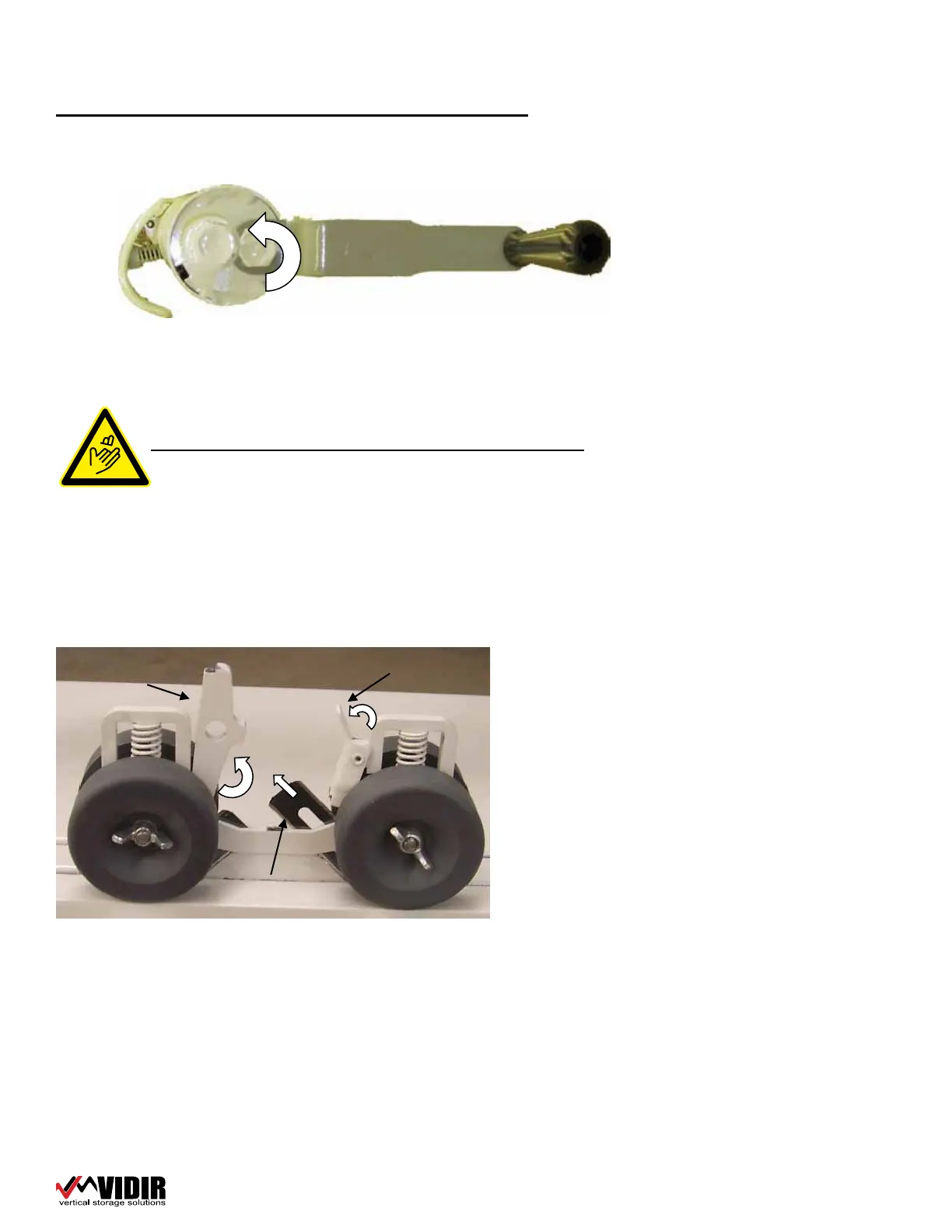
How to change the cutter blade
CAUTION: CUTTING BLADES ARE SHARP.
1� Move the cutter to a suitable working location�
2� Press blade lock latch release lever�
3� Lift blade lock latch up to release the blades� Part #113-0012
4� Slide blade up and out ip and insert again�
A
B
C
22� Remove the re-roller by pulling it out of the cut product�
23� Place reroller back onto the Carousel Mate�
24� Re-roll the product back onto the roll and strap with Velcro straps� (min of 3
per roll)
A
B
C


 To Next Page