1
1
For service call
1-866-821-2647
MENARDS CAROUSEL MATE
COUNTER OPERATING AND REPROGRAMMING INSTRUCTIONS
Ver. 5.01
Familiarization
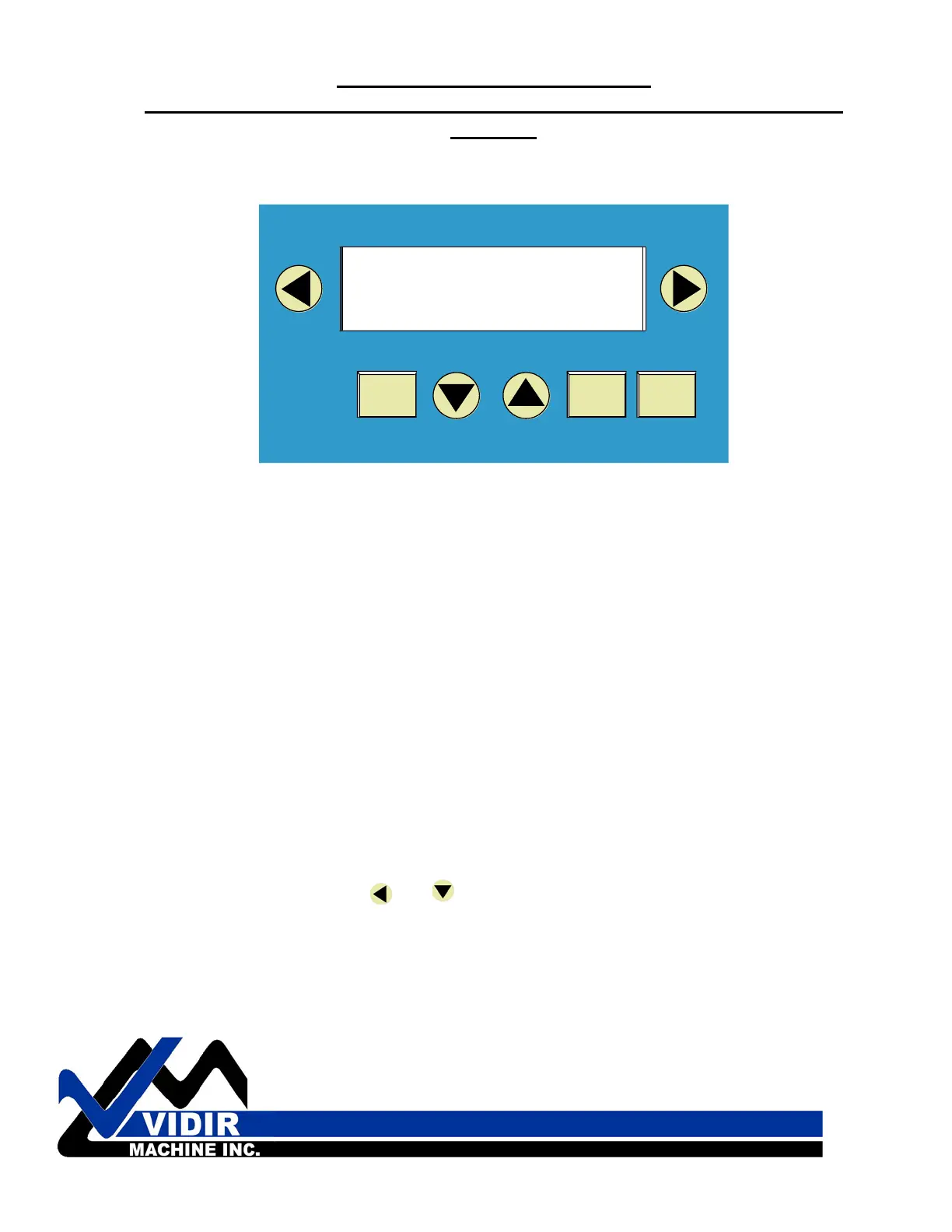
PRESETPRODUCT
ENTERMOD
DELETE
AUTO-RUNCLEAR COUNT
CLEAR COUNT AUTO-RUN
PRESETPRODUCT
Arrow Keys- Data entry (used for entering numeric data after
MOD is pressed
Left / Right Arrow- Moves cursor left/right
Up / Down Arrow- Increments / Decrements value by 1
Product Key/Left Arrow- Scrolls the various products (scale factors)
Preset Key/Right Arrow- Scrolls through various presets (preset lengths)
Delete/Clear Count- Clears the counter value
Mod Key- Press to begin change of data
Auto Run Key- Places machine in Auto-run Mode
TO REPROGRAM A COUNTER THAT HAS LOST IT’S PROGRAM FOLLOW THE
STEPS OUTLINED BELOW.
WHILE THE COUNTER IS DISPLAYING THE WRONG INFORMATION PRESS THE
LEFT AND DOWN ARROW AT THE SAME TIME.
Master User’s Menu
Press the and (at the same time) the MASTER PASSWORD is
brought up.
-----------------------------------
| MASTER PASSWORD |
| _ _ _ _ |
-----------------------------------
CAROUSEL MATE


 To Next Page