accessory symbol and adjust the position
with the corresponding key on the
switching touch elds (e. g. straight ahead
or diverging route, signal aspect “stop” or
“proceed”).
After that return to the index card.
Touch the explanatory comment area
associated to a control command (e.g. 03
no command) in order to pick out a loco-
motive. After that, you select the locomo-
tive symbol-eld out of the touch elds on
the right hand side. A list of touch elds
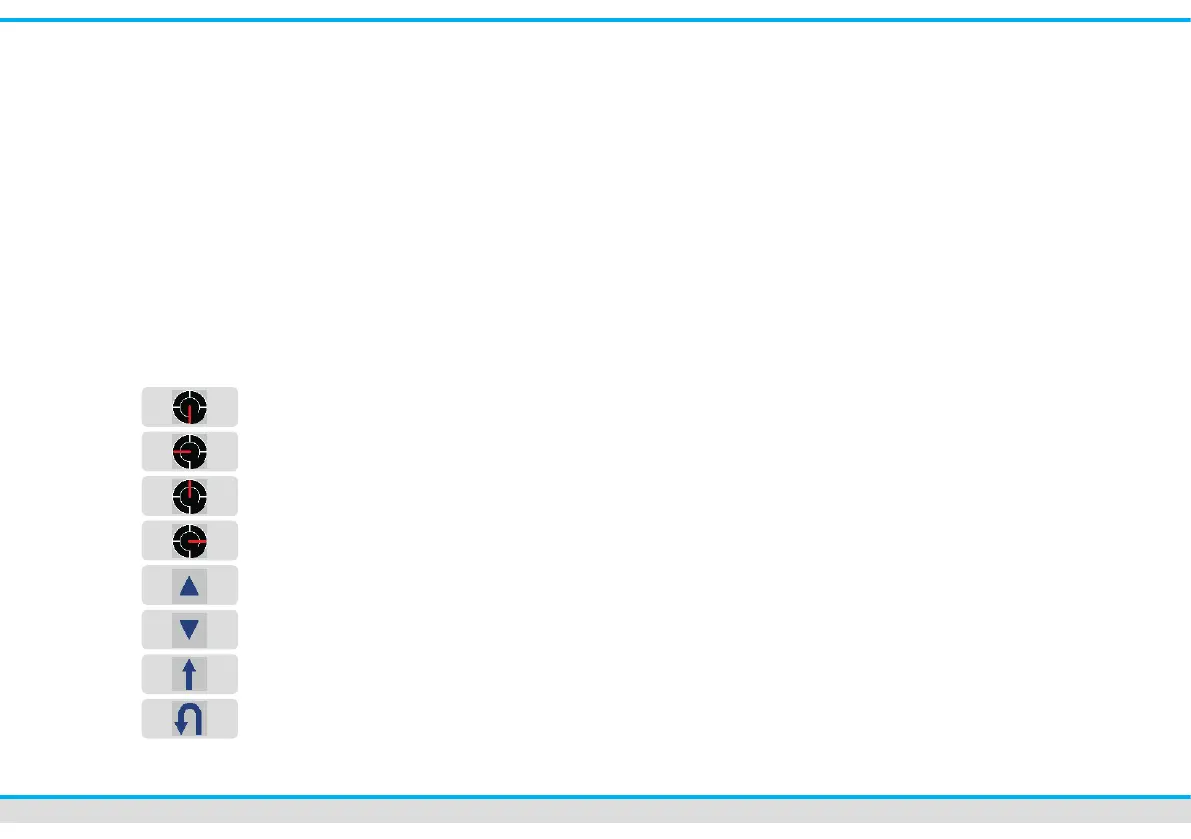
opens up and you can adjust direction and
speed of a train with the appropriate key.
Stop
low speed
average speed
high speed
forward movement
backward movement
keep sense of driving
Inverse sense of driving
(e.g. for shuttle trains)
The programmed control commands of this
locomotive are valid for all locomotives.
In case that you want to dene them for
a special locomotive, select a locomotive
icon out of the list of locomotives as
follows:
Touch the locomotive symbol-eld out of
the row of command touch elds. Select a
locomotive out of the list then. This way the
programmed route and speed adjustments
are only valid for this specic locomotive.
By entering different locomotives you
can dene for each train an individual
route and running speed .
index card 6:
You can assign “switching-track”-functions
to specic feedback sections by the
index card 6.
The Commander carries out a specic
function, like the activation of a sound or
the switching of headlights when a
locomotive reaches the respective
feedback section.
index card 7:
Dene at least one feedback section as
destination contact. Touch the selection
eld of the index card. A track diagram
opens up. Select the appropriate track
diagram. If you touch the respective sym-
bol eld on the track diagram, it shows
now a green twinkling frame.



 To Next Page