24
Further settings
Setting energy−saving operation for holiday periods (cont.)
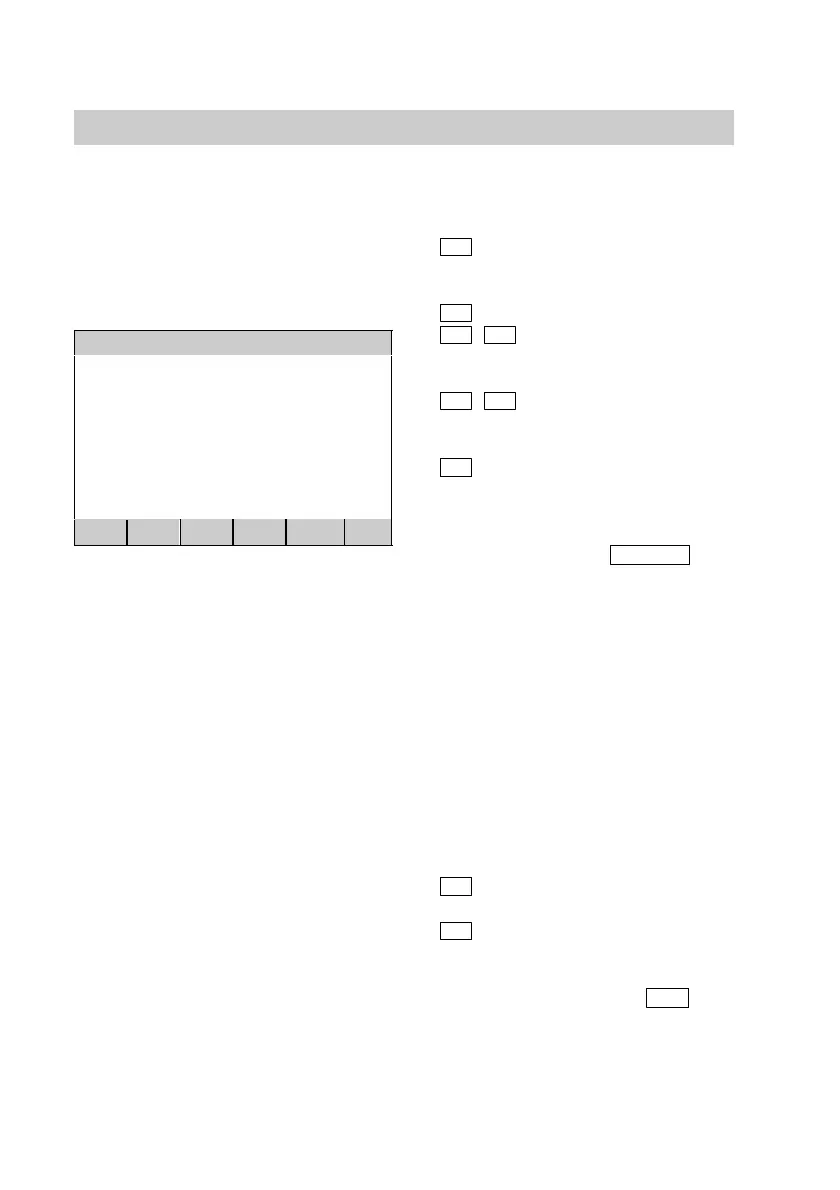
Set holiday period
Holidays begin on:
Monday 04.11.02 00:00
Holidays finish on:
Saturday 16.11.02 00:00
<
>
+
BACK
OK
Open the programming unit flap and
press the following keys:
1.
B
for "Installation
parameters".
2.
D
for "Set holiday period".
3.
<
/
>
press until the value to
be set is highlighted.
4.
+
/
press until the required
value is shown.
5.
OK
press to confirm; the
holiday program is now
set.
You exit the program
using the
BACK
key
without saving these
settings. The holiday
program is then not
selected.
Close the programming unit flap.
Ending the holiday program early
Open the programming unit flap and
press the following keys:
1.
B
for "Installation parameters".
2.
D
for "Set holiday period".
3. Answer the question "Finish
holidays?" by pressing
YES
.
Close the programming unit flap.
5592 415GB






 To Next Page