This function prevents children or
unauthorized persons from watching
programs.
Also you can change PIN(Personal
Identification Number) code.
Select
“
Parental Control
”
menu in
“
User
Setting
”
menu, and the following screen will
be displayed.
Check the signal strength. Press
to start the scan procedure.You can see
the progressive status of channel
searching.
Please note that the scan procedure may
take a few minutes.
Press the
“
menu
”
key or
“
exit
”
key to return
to previous menu.
19 20
1. C AUTO SCAN
2. USER SETTING
This menu helps you to set up System. Select “User Setting” menu in “Main Menu”, and
you will be asked to enter your PIN Code.
You can change satellite to terrestrial by
using the “left/right”keys(
◀•▶
) in Set Up
menu.
To save set-up, press Menu or Exit
button.
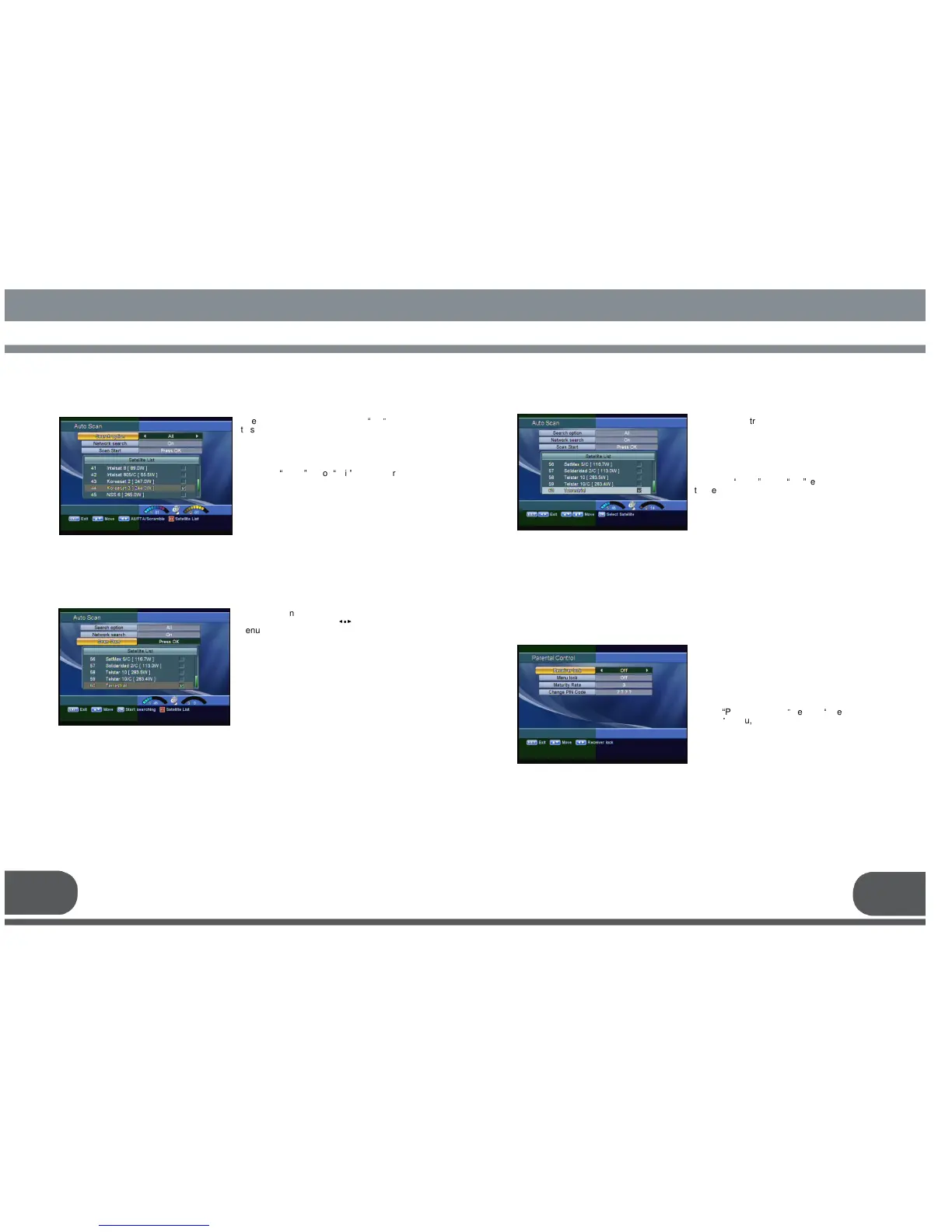
To scan terrestrial, press
the “Scan Start” Menu, then the scan will
be started.
You can see the progressive status of
channel searching.
Please note that the scan procedure may
take a few minutes.
Press the
“
menu
”
key or
“
exit
”
key to return
to previous menu.
1.D.1 How to scan the selected terrestrial



 To Next Page