18
USB Connection
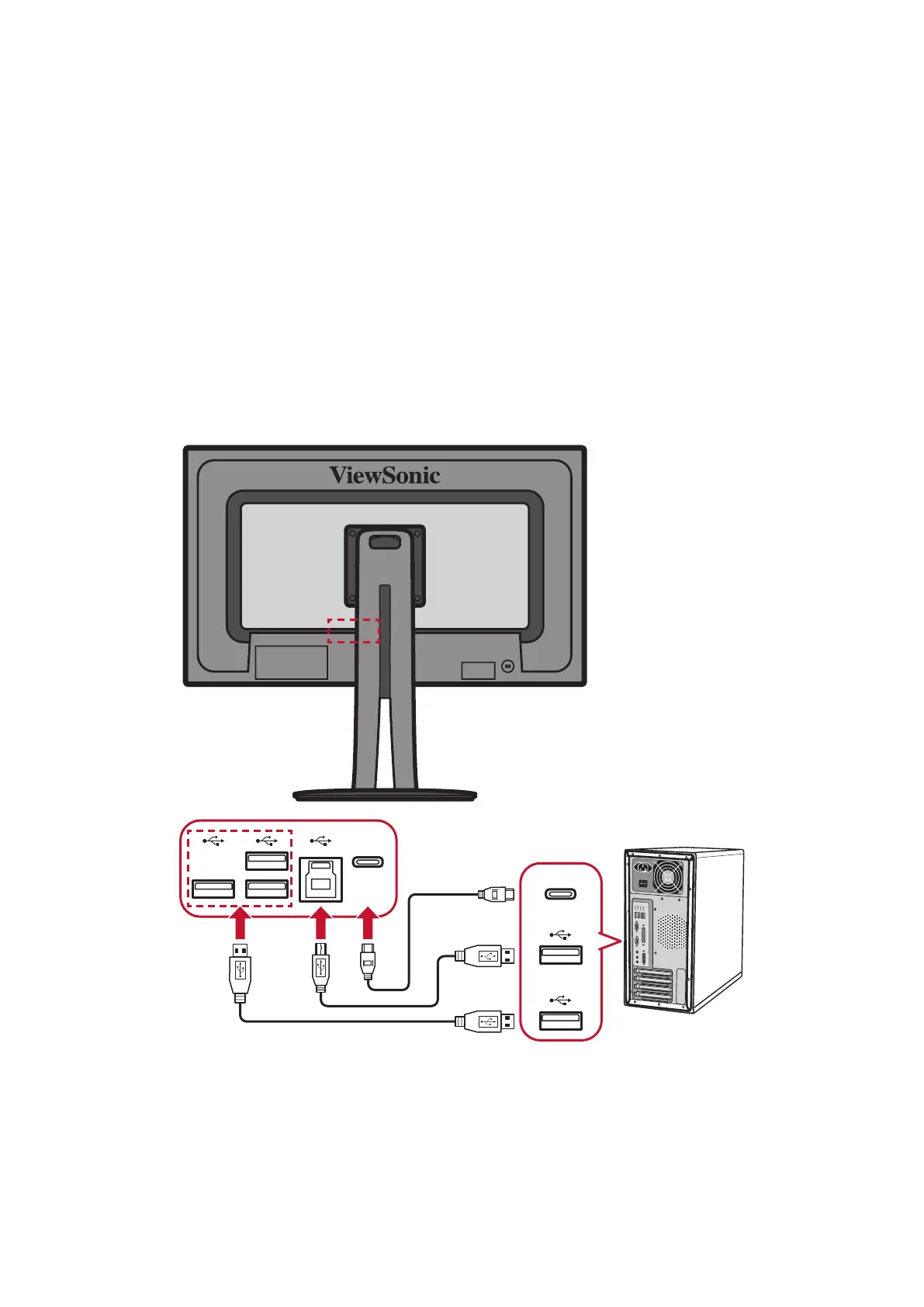
Connect one end of a USB cable to the USB port of the device. Then connect the
other end of the cable to the USB port of your computer.
NOTE: The monitor supports 3 types of USB ports. When making the
connection(s), observe the following guideline.
Three USB Type A ports: Connect the Type A connector of USB cable to
the USB port of the computer.
One USB Type B port: Connect the USB Type B male cable (square with 2
cut corners) to this port, and then connect the other end of the cable to
the USB downstream port of your computer.
One USB Type C port: Make sure your Type C output device and cable
support video signal transmission.
Type-C
Type-C



 To Next Page