64
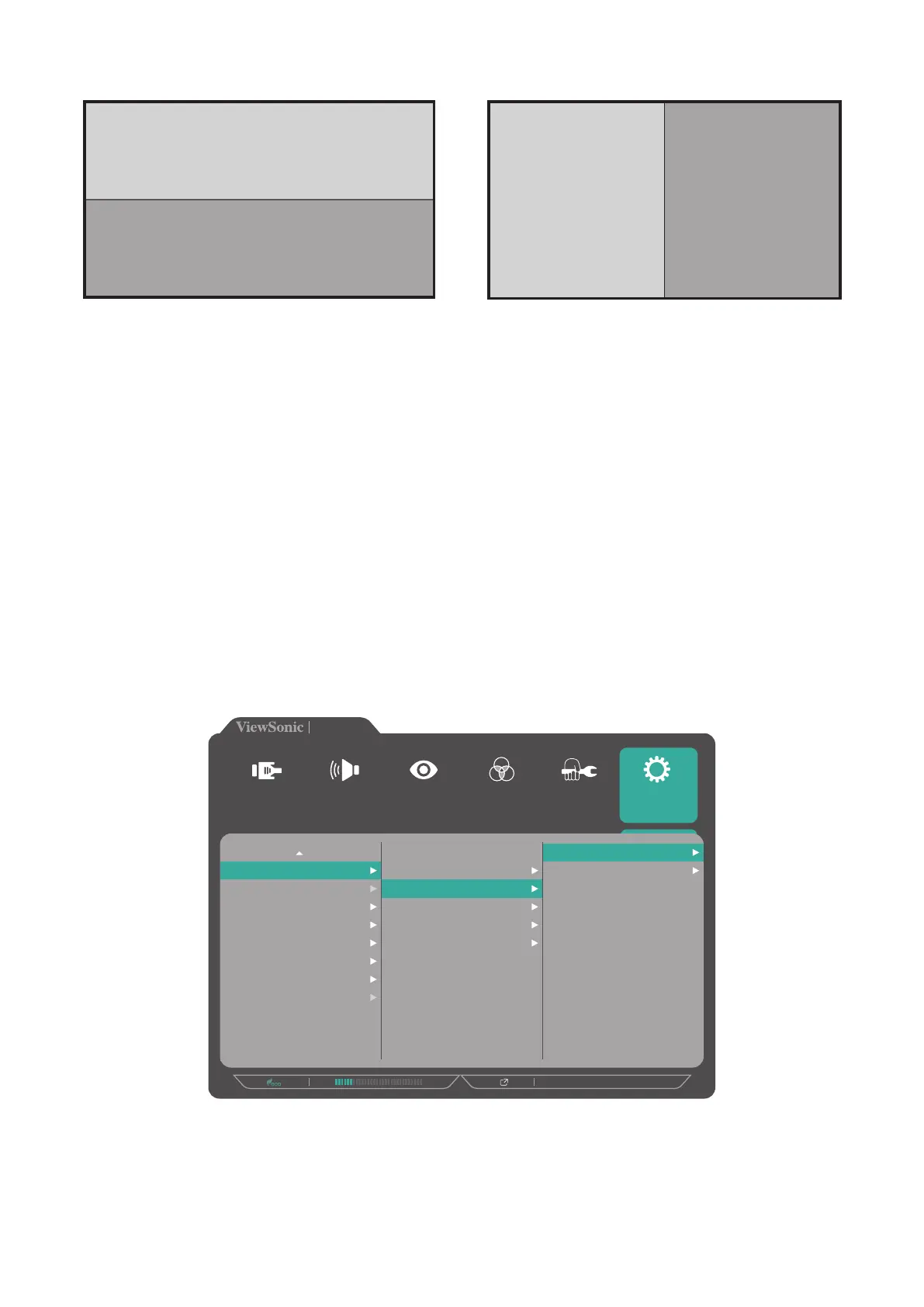
PBP (Picture-by-Picture)
Top Window
Bottom Window
Left Window Right Window
PBP Top-Bottom PBP Left-Right
NOTE: To display full-sized image on the window, please adjust the screen
resolution to 3840x1080 (for PBP Top-Bottom mode) or 1920x2160 (PBP
Left-Right).
To configure the PBP settings:
1. Open the OSD Menu and select the Setup Menu menu. Then touch the 3 key to
enter the menu.
2. Touch the 1 or 2 key to select Multi-Picture. Then touch the 3 key to enter its
sub-menu.
3. Touch the 1 or 2 key to select PBP Top-Bottom or PBP Left-Right. Then touch the
3 key to enter its sub-menu.
4. Do the following:
720P60
VP2785-4K
Multi-Picture
ECO Mode
DisplayPort 1.2
HDMI 2.0
USB 3.1
DDC/CI
Save As
Backlight Sensor
All Recall
Off
Quad Windows
PBP Top-Bottom
PBP Left-Right
PIP
Dual Color
Top Source
Bottom Source
Swap
Setup Menu
Color Adjust ViewMode
Manual Image
Adjust
Input
Select
Audio Adjust
To change the input source, select the source location and touch the 3 key.
Then touch the 1 or 2 key to select the desired input source and touch the 3
key to confirm.
To swap the two windows, select Swap and touch the 3 key to confirm.



 To Next Page