66
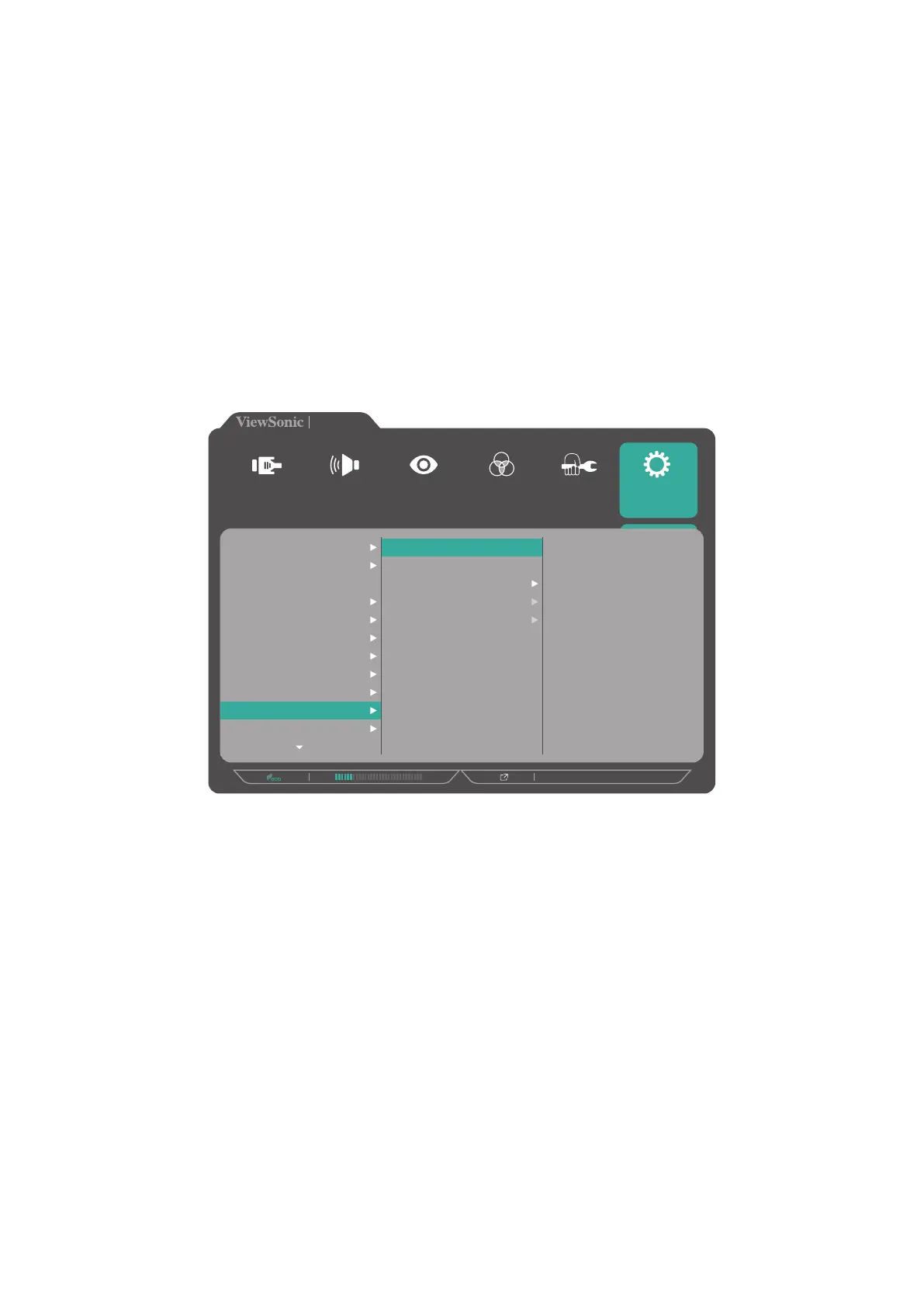
Ambient Light Sensor
With the Ambient Light Sensor function, the monitor can automatically adjust the
screen brightness to the optimal settings based on the level of brightness in your
environment.
To configure the ambient light sensor settings:
1. Open the OSD Menu and select the Setup Menu menu. Then touch the 3 key to
enter the menu.
2. Touch the 1 or 2 key to select Ambient Light Sensor. Then touch the 3 key to
enter its sub-menu.
3. Touch the 1 or 2 key to select On to enable the function. Then touch the 3 key to
confirm.
720P60
VP2785-4K
On
Off
HAL Luminance
MAL Luminance
LAL Luminance
Setup Menu
Color Adjust ViewMode
Manual Image
Adjust
Input
Select
Audio Adjust
Language Select
Resolution Notice
Information
OSD Timeout
OSD Background
OSD Pivot
Power Indicator
Auto Power Off
Sleep
Ambient Light sensor
Presence sensor










 To Next Page