20
Contents
Previous
Page
First
Page
Next
Page
Previous
View
Checking camera balance
16 The Pro-6
HDV
head provides a selectable balance range, set for payloads of 2.5kg (5.5lb) to 6kg (13.2lb)
at a centre of gravity (C of G) height of 5.5cm (2.2in.). The graph (Fig 2.2) shows the relationship between C of
G height and payload for optimum performance.
17 The balance selector (8) allows four balance levels to be utilized. Level ‘0’ offers free rotation of the tilt
axis with no counter-balance engagement. Levels ‘1’ to ‘3’ offer gradually increasing balance capacity (Fig
2.2).
18 Check the camera balance as follows, remembering to ensure that the pan bar(s) and any ancillary
equipment have been fitted:
19 Reduce tilt drag (3) to level ‘1’.
20 Release the tilt brake (4).
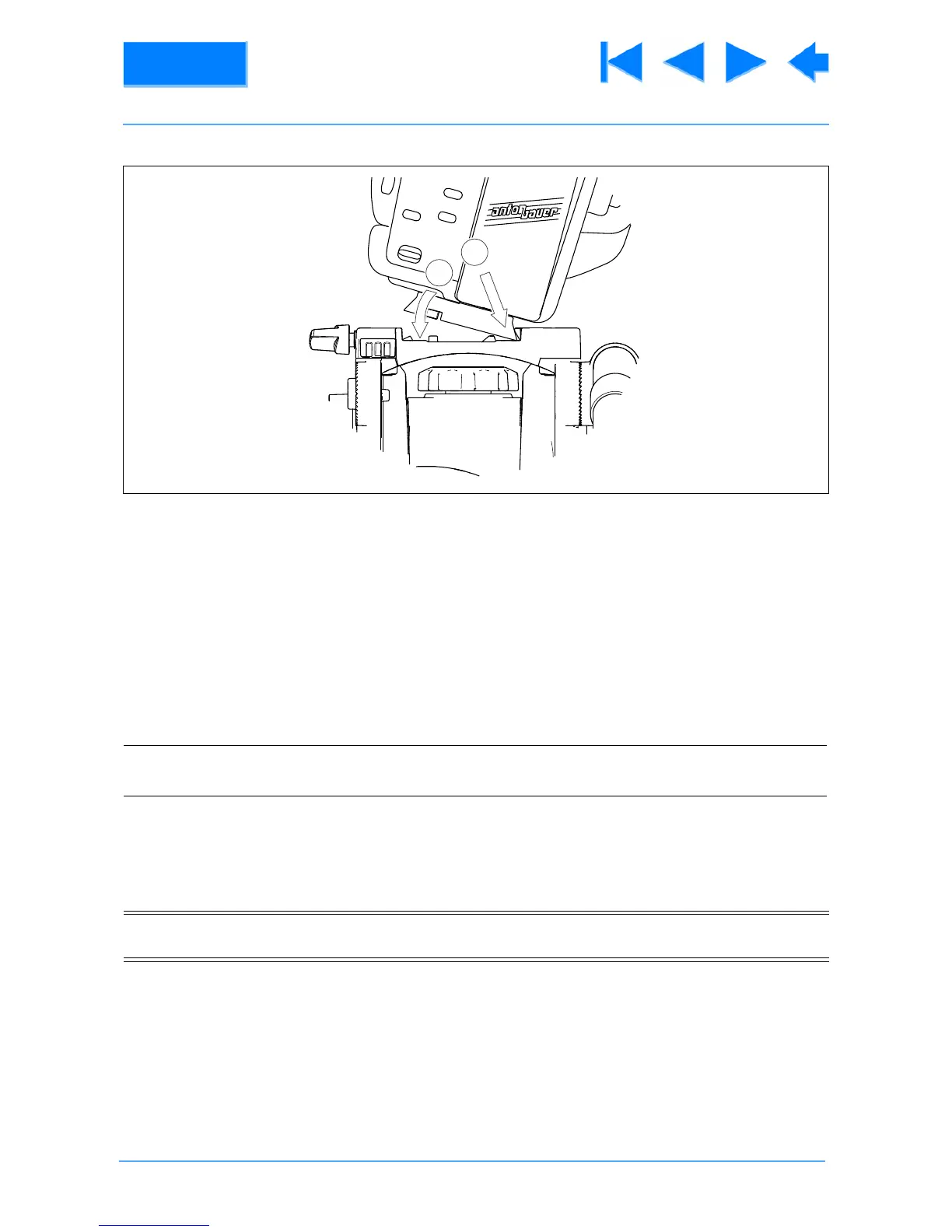
21 Position the camera correctly on the head by releasing the slide plate clamp (2) and sliding the camera
backwards or forward until it balances horizontally. Apply the slide plate clamp (2).
22 Using the pan bar (9), tilt the head backwards and forwards. If the head tends to fall away, select a
higher balance level (8). If the head tends to spring back, select a lower balance level (8).
Fig 2.1 Mounting the camera
NOTE: When changed, the selected balance level (8) engages as the platform moves through the
horizontal position.
CAUTION! Support the camera with one hand before releasing the tilt brake (4). An out of balance
payload can fall away suddenly.









 To Next Page