1. Product Overview 1
Standard Items
Optional Accessories
Product Diagram
LED Indicators
Buttons and Icons
Display Overview
Insert / Remove the Memory Card
Install the Dashcam
Install the Static Sticker
Remove the Dashcam
2. Installation
Power On / Off
Loop Recording
Emergency Recording
Disable / Enable Audio Recording
Parking Mode
3. Dash Cam Recording Operation
Playback Video on Dashcam
Playback Video on VIOFO APP
Playback Video on PC
Video File Storage Location
4. Playback and Manage Videos
Connect to Smartphone
APP Layout Overview
Install CPL
Install Bluetooth Remote Control
5. Review and Control on Smartphone
Table of Contents
7. System Settings
8. Firmware Upgrade
9. Notice
10. Customer Service
22
27
27
28
7
13
15
17
6. Install Optional Accessories
20
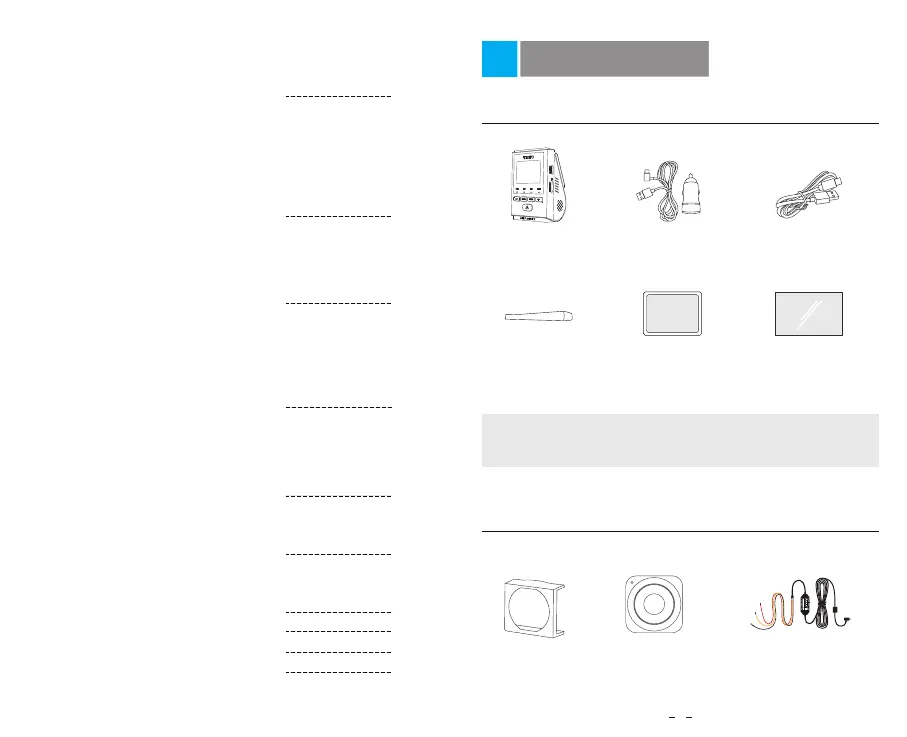
Type-C Data
Cable
Dashcam
+ GPS Mount
Windshield Static
Sticker x2
Standard Items
Optional Accessories
Bluetooth Control
CPL
Hardwire Kit HK4
*
VIOFO Hardwire Kit for Car Dash Camera
:T
UPNI
RE
D
R
EW
OP
—
KCALB
—
D
NG
EY
L
WOL
—
AC C
Input: 12 / 24V; Output: 5V2A Max
Product Overview
1
Note: The USB data cable is only for connecting the camera
with computer to transfer video files or upgrade firmware, not
for charging the camera.
Car Charger
Adapter
Spare Mount
Sticky Pads
Trim Removal
Tool



 To Next Page