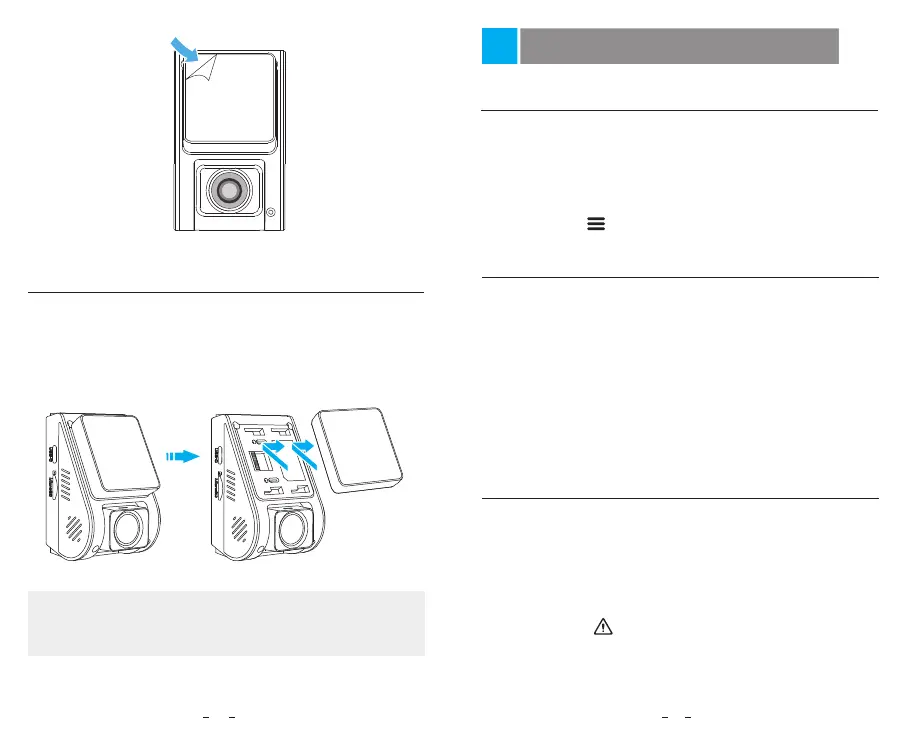
Remove the Dashcam
To remove the camera from its bracket, slide the
camera to the right and pull the camera out of the
mounting bracket.
Note:
When you want to plug in and unplug the camera,
please turn it off first.
Remove the Dashcam
Dash Cam Recording Operation
Emergency Recording
Automatic emergency recording
1.
Loop Recording
Power On / Off
Insert a microSD card into the camera’s card slot and
automatic loop recording will begin once the camera
detects power.
Time frame for each video file is 1 / 2 / 3 / 5 / 10 minutes.
When there is insufficient space on the microSD car,
loop recording.will automatically overwrite the oldest
files (one by one).
Loop recording files are saved to SD card: \DCIM\Movie.
1.
1.
2.
3.
2.
3.
4.
When you start the engine, the camera will turn on and
begin recording automatically.
When you turn off the engine or unplug the charging
cable from the power adapter, the camera will stop
recording and turn off.
Long press [ ] button to power on or off the camera.
Manual emergency recording
2.
When the G-sensor is activated by a collision, the
current footage will be locked automatically to avoid
being overwritten by loop recording.
Pressing the [ ] button during a recording will lock
the current file being recorded. Once locked, the file
will not be overwritten by the loop recording feature.
12 13



 To Next Page