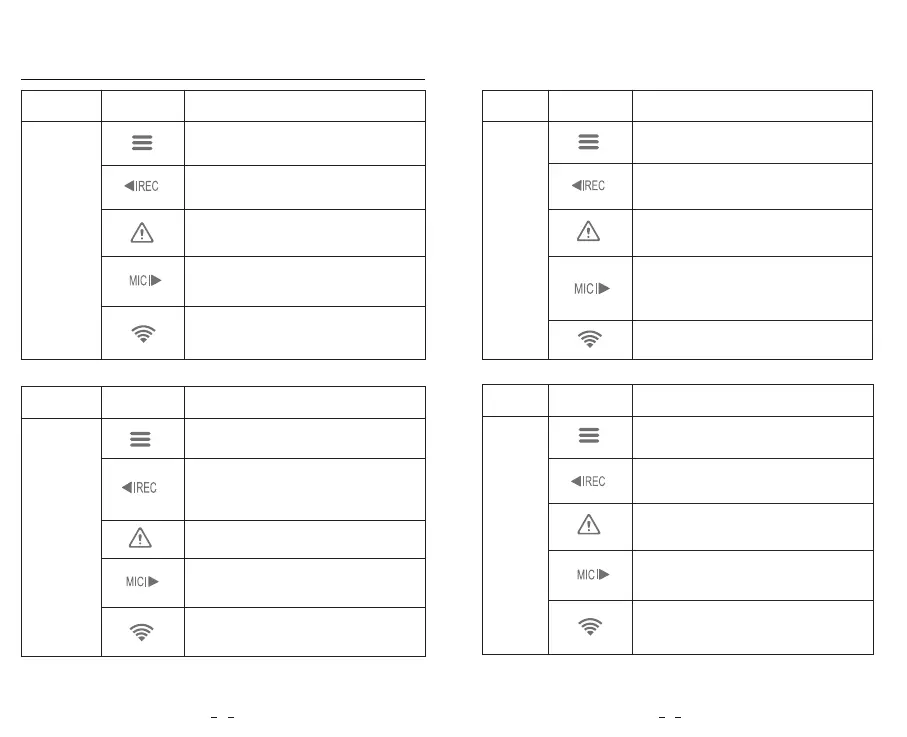
ButtonsMode Behavior
Long press to power off
Click once to take a photo
Click once to stop recording
Long press to enable / disable
the Wi-Fi
Buttons and Icons
ButtonsMode
Standby Mode
(Not Recording)
Behavior
Click once to start recording
Long press to format the memory
card
Click once to enter menu
Click once to enter playlist
ButtonsMode
Setting
Menu
Mode
Behavior
Menu up
Enter / Confirm setting options
Menu down
N / A
ButtonsMode
Playlist
Mode
Behavior
N/A
4 5
Click once to enable / disable
audio recording
Click once to lock the file being
recorded
Menu up / Change playback
speed / Delete the video
Select the current video / Play /
Pause
Menu down / Change playback
speed / Lock current / Unlock
current video
Exit setting menu / Return to
previous menu
Return to previous menu / Exit
playlist
Recording
Mode
Click once to enable / disable
audio recording
Long press to enable / disable
the Wi-Fi



 To Next Page