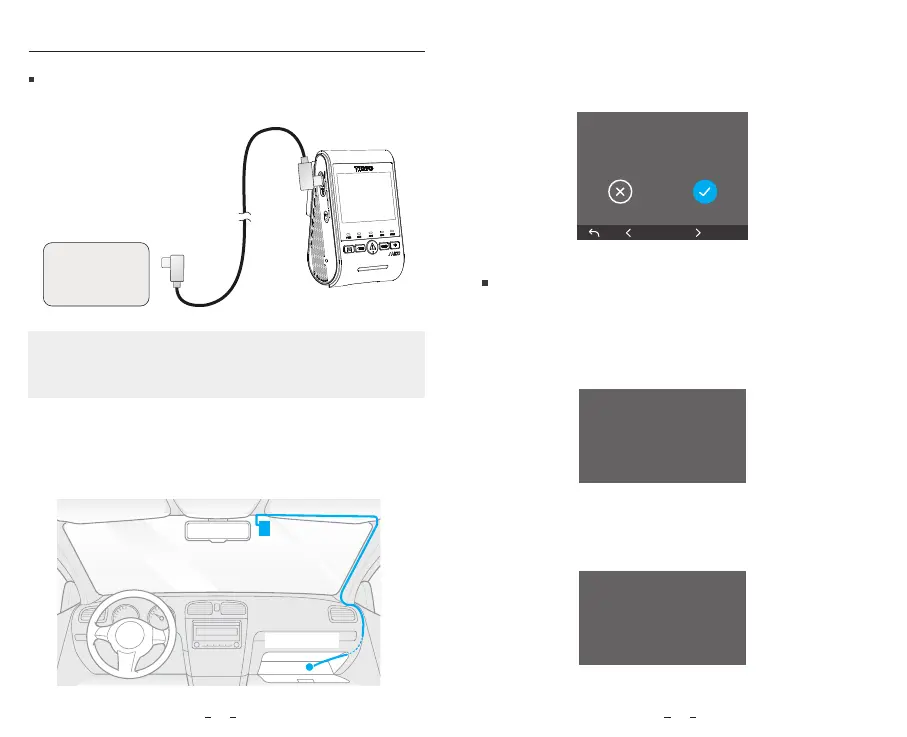
Unplug the SSD cable from the dashcam.
If the dashcam already has a memory card inserted,
the recorded files will be automatically saved to the
memory card.
If there is no memory card inserted, it will prompt you to
insert a memory card.
2. Secure the SSD at a suitable location inside the car,
making sure it doesn’t obstruct the driver's view. We
recommend installing the SSD in the glove box on
the passenger side.
3. When the SSD is inserted, the dashcam will prompt with
"Save the videos to the external SSD?" You can choose to
save the recorded videos to the SSD immediately, or set
the file storage location later in the dashcam settings.
Note: We recommend using a PSSD (portable SSD).
SSD must be formatted before first use. Please format it
on a computer or in the camera to the exFAT file system.
OK
Save the video to the external
SSD?
External SSD removed, les
will be saved to the MicroSD
Card.
Please inse a memo
card.
Install the SSD (Optional)
Install the SSD
Remove the SSD
1110
1. Connect the SSD to the dashcam using the VIOFO
Type-C SSD cable.
SSD
Secure the SSD



 To Next Page