Install Bluetooth Remote Control (Optional)
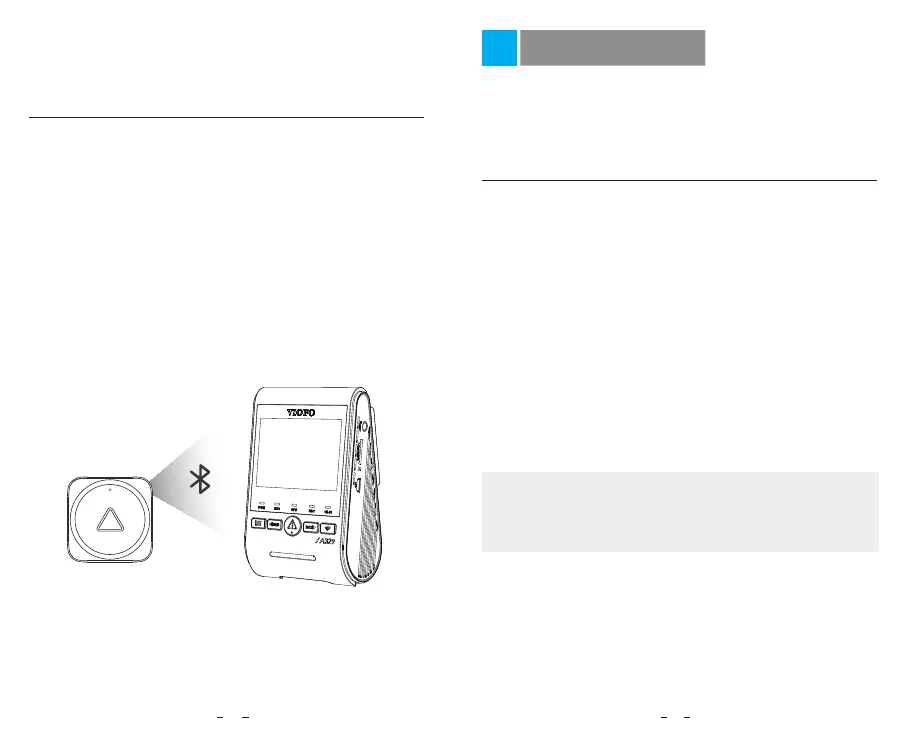
Pairing with dash camera
The Bluetooth Remote Control (optional), featuring three
buttons and conveniently mounting on your dashboard,
allows you to safely lock important videos, turn on/off Wi-Fi,
enable/disable HDR, and perform additional functions, all
without diverting your attention from the road.
• Power on the camera.
• Press and hold the video lock button on remote control
for 3 seconds to pair with camera.
• If get paired successfully, the LED indicator of the remote
turns blue.
1. Front Camera:
4K 60fps
4K 21:9 60fps
4K 30fps
4K 21:9 30fps
2K 60fps
2K 30fps
2. Front Camera + Rear Camera:
4K P60 + 2K P30
4KP60 21:9 + 2K 21:9
4K P30 + 2K P30
4KP30 21:9 + 2K 21:9
2K P60 + 2K P30
2K P30 + 2K P30
30
31
Video Settings
Dashcam Settings
You can set the dashcam settings according to your needs
and preferences using the camera or the VIOFO App. To
enter the settings menu, please stop recording first.
• Video Bitrate
:
Low / Normal / High / Maximum.
You can set the bitrate for video. High bitrate may improve
the quality and smoothness of the video, especially when
recording fast motion or high contrast scenes. Using high
bitrate mode may decrease the amount of recording time
available on your memory card. Using low bitrate will save
space and record for longer time.
• Resolution
:
Note:
The 4K resolution refers to 3840x2160P, and the 2K
resolution refers to 2560x1440P. The 4K 21:9 refers to
3840x1600P, and the 2K 21:9 refers to 2560x1080P.



 To Next Page