REW STOP PLAY PAUSE RECFF
SINGLE
SINGLE
PROGRAM
PROGRAM
ERASE
ERASE
TEMPO
TEMPO
SONG
SONG
ENTER
ENTER
RANDOM
RANDOM
STANDBY
STANDBY
REPEAT
REPEAT
SINGLE
PROGRAM ERASE
TEMPOSONG
ENTER RANDOM
STANDBYREPEAT
REW STOP PLAY
PLAY
SINGLE
STOP
PAUSE RECFF
2.9SINGLE Function
2.10 AUTOREW Function
2.11START/STOP Pedal Control
* The way in which the initial parameters (see 3.6 PROGRAMMING) have
been set causes the RD-70 to automatically read all of the songs on a floppy
disk in sequence, going from first to second and so on to the end. In order to
changethis,simplyselecttheSINGLEmode.
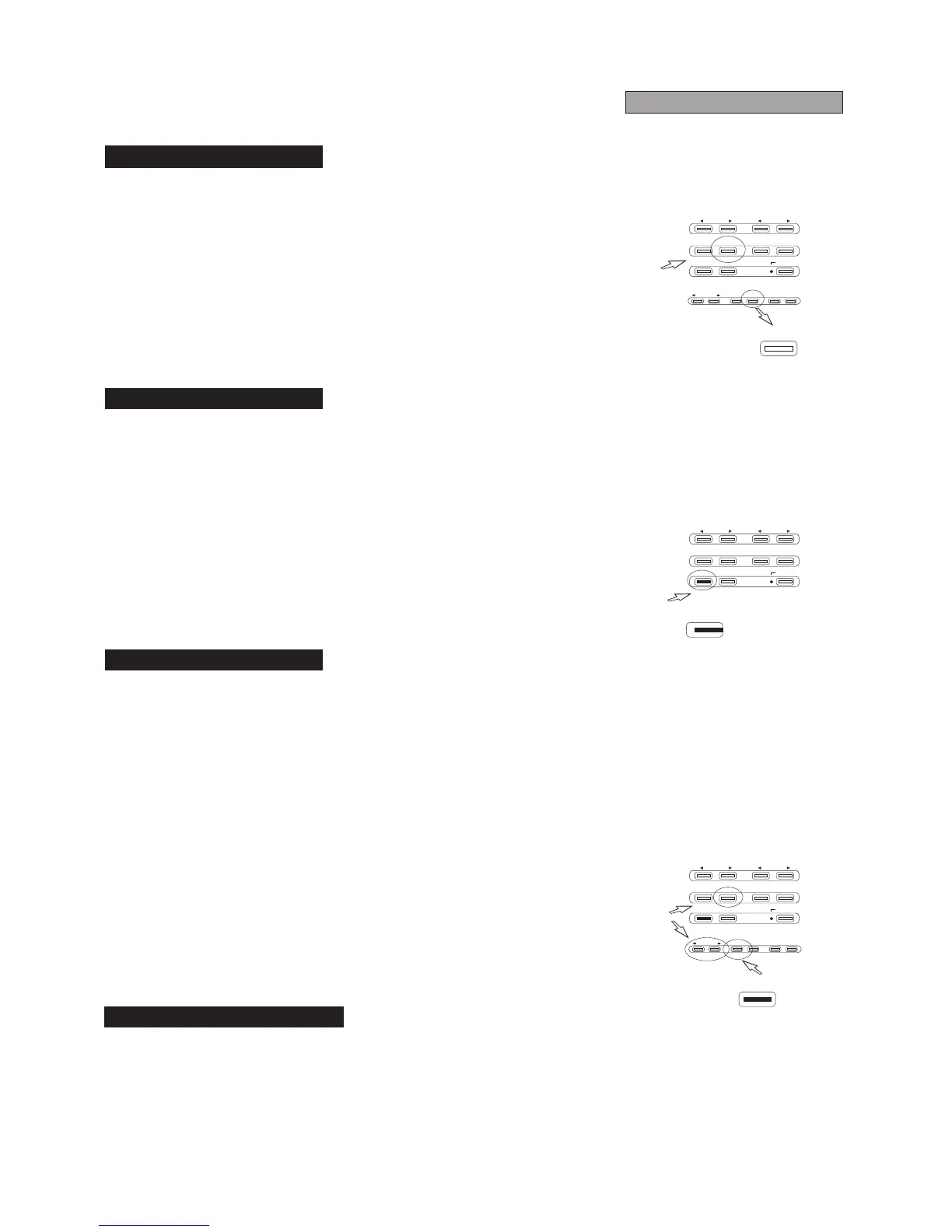
1)PresstheSINGLEbutton.ActuationoftheSINGLEmodewillbesignalledby
therelativeLEDwhichwilllightup.
OncetheRD-70isinSINGLEmode,itwillstopaftereachsong.
* The autorewind function allowsthe STOP buttontooperate in twodifferent
ways:
1) AUTOREW on: when you press STOP, the player will go back to the
beginningofthesongthathasjustbeenplayedback.
2)AUTOREWoff:whenyou pressSTOP,theplayerwillstayat thepointwhere
playbackwasstopped.
* By holding ENTER and also pressing STOP, the status of the AUTOREW
function will be shown on the display. It can be changed (on/off) using the
REWorFFbuttonsandconfirmedwithENTER.
* The AUTOREW off function can be useful when the pedal (optional) is used
forSTART/STOPcommands.
2.8AUTOPLAY Function
PLAYBACK
* Playback of the songs can be automatically started immediately after
insertingthefloppydiskinthedriveunit(AUTOPLAYON)bymeansofasimple
procedure:
1) While holding the ENTER button press PLAY: the current status of the
AUTOPLAYfunctionwillappearonthedisplay.
2)PressREWorFFtochangethestatusofthefunctionasdesired(on/off).
3)ConfirmthechangebypressingENTER.
* A footswitch with a normally-open contact can be connected up to the
appropriate jack (see rear pannel diagram) for remote control of START and
STOP functions. In order to avoid serious demage to the equipment, ONLY
footswitchesoftheraccomandedtypeshouldbeused.



 To Next Page