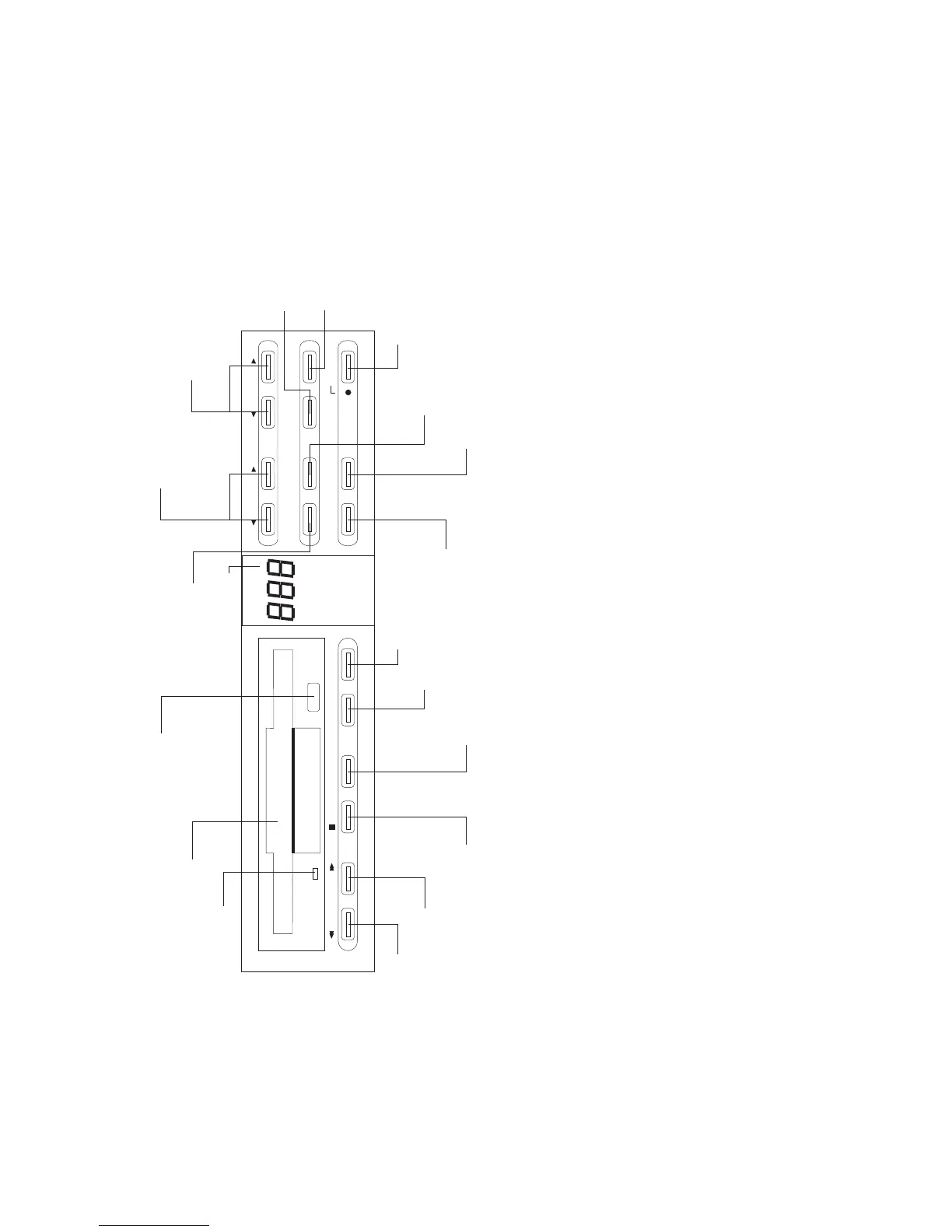
RD-70
viscount
RD-70 Front Panel
professional
7
0
7
REW STOP PLAY PAUSE REC SINGLE
PROGRAM ERASE
TEMPO
SONG
ENTER RANDOM
STANDBYREPEATFF
1. REW button
Press this button to rewind in order to select a beat.
2. FF button
Press this button to advance in order to select a beat.
3. STOP button
Press this button to stop playback.
4. PLA button
Press this button to start playback.
5. PAUSE button
Press this button to pause on playback.
6. REC button
Press this button to record.
7. SINGLE button
Press this button for single playback.
8. REPT button
Press this button for repeated playback of a song.
9. SET button
Press this button to confirm previous programming.
1. STANDB button
Press this button to turn the unit onoff.
11. CLEAR button
Press this button to delete programming.
12. RND button
Press this button to playback songs in random order.
13. TEMPO buttons
Press these buttons to set the tempo.
14. SONG buttons
Press these buttons to select the song number.
15. Multi-function display
16. PROG button
Press this button to program a sequence of songs.
17. EECT button
Press this button to remove the floppy-disk from the drive unit.
18. Floppy-disk drive.
19. Indicator which lights up when the disk drive is operating.



 To Next Page