32 VISIONEER STROBE XP 200 SCANNER INSTALLATION GUIDE
SCANNING USING THE WINDOWS IMAGE ACQUISITION (WIA)
The instructions in this section are for scanning using WIA on
computers running Windows XP. If your computer is running an earlier
version of Windows, it cannot use WIA to scan. See “Scanning Using
the Visioneer Scan Manager” on page 25.
To scan an item:
1. On the Windows taskbar, click Start, point to All Programs, point
to ScanSoft PaperPort 9.0, and then click PaperPort.
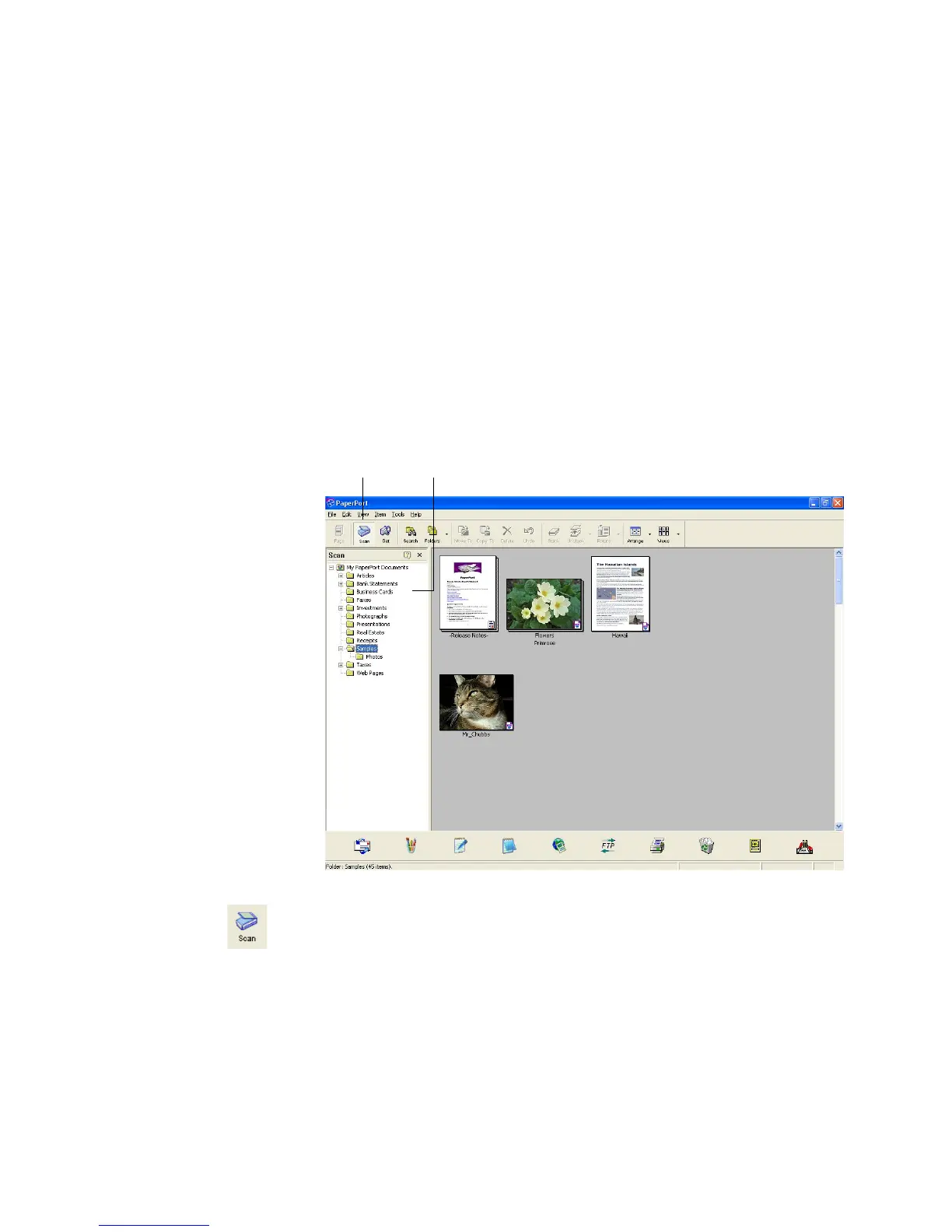
The PaperPort desktop opens.
2. Click the Scan icon on the PaperPort command bar.
The Folders pane is replaced by the Scan pane.
Scan icon Folders pane














 To Next Page