2
V
ISIONEER
S
TROBE
XP 200 S
CANNER
I
NSTALLATION
G
UIDE
T
HE
V
ISIONEER
S
TROBE
XP 200 S
CANNER
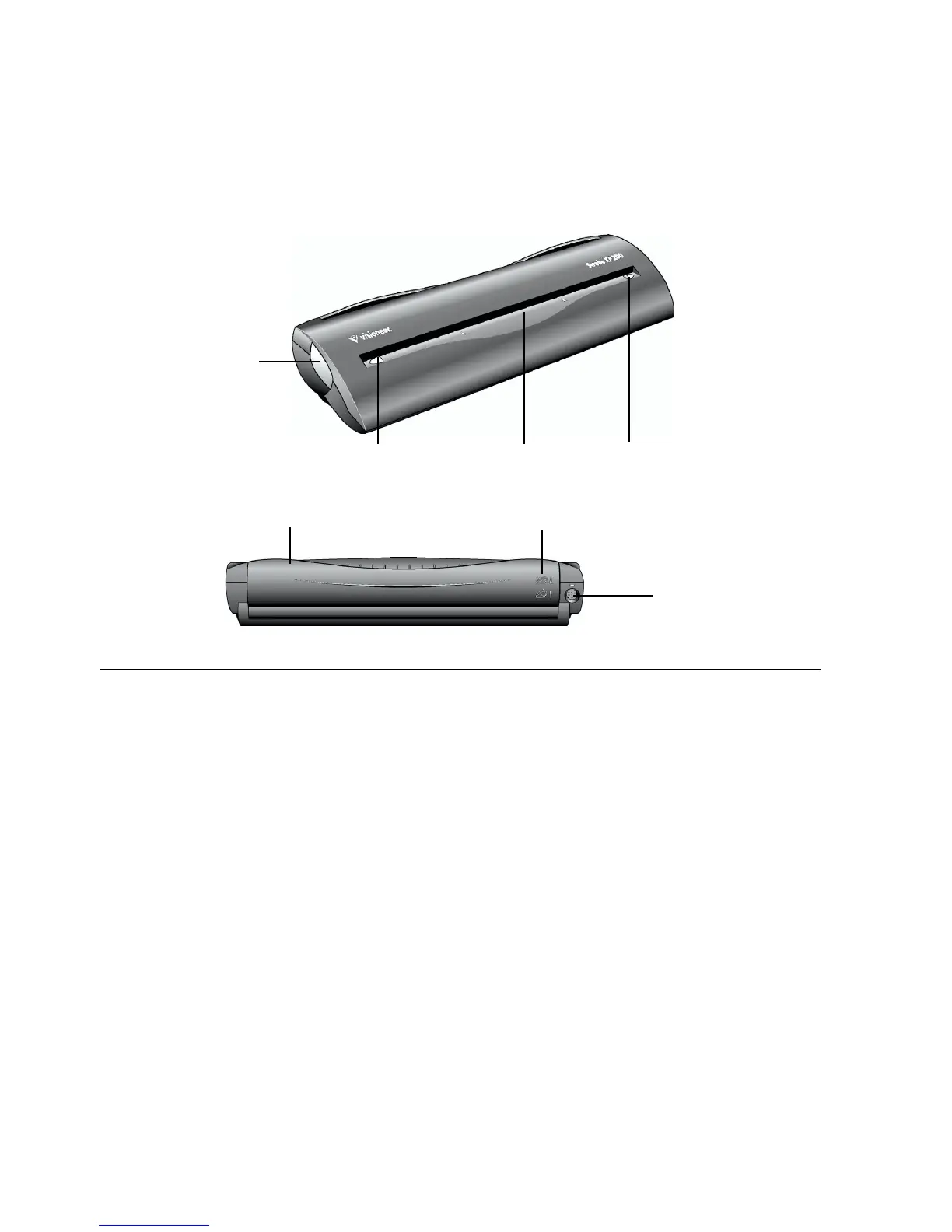
Alignment arrow
Page feed
Paper return
USB port
Scanner button
Alignment arrow
Paper return icons
Scanner button—Opens a dialog box used to adjust scanner settings or cancel an in-
process scan.
Alignment arrows—Show where to align the edges of the document you’re scanning.
Page feed—Automatically feeds documents through the scanner when it’s sensors detect
the presence of a document.
Paper return—Can be positioned to feed a document either straight through the scanner
or returned to the front of the scanner.
Paper return icons—Show how to position the paper return: up to feed the document
straight through the scanner, and down to return the document back towards you.
Universal Serial Bus (USB) port—Connects the scanner to the power cable and to a
USB port on your computer.














 To Next Page