DLP Projector—User’s Manual
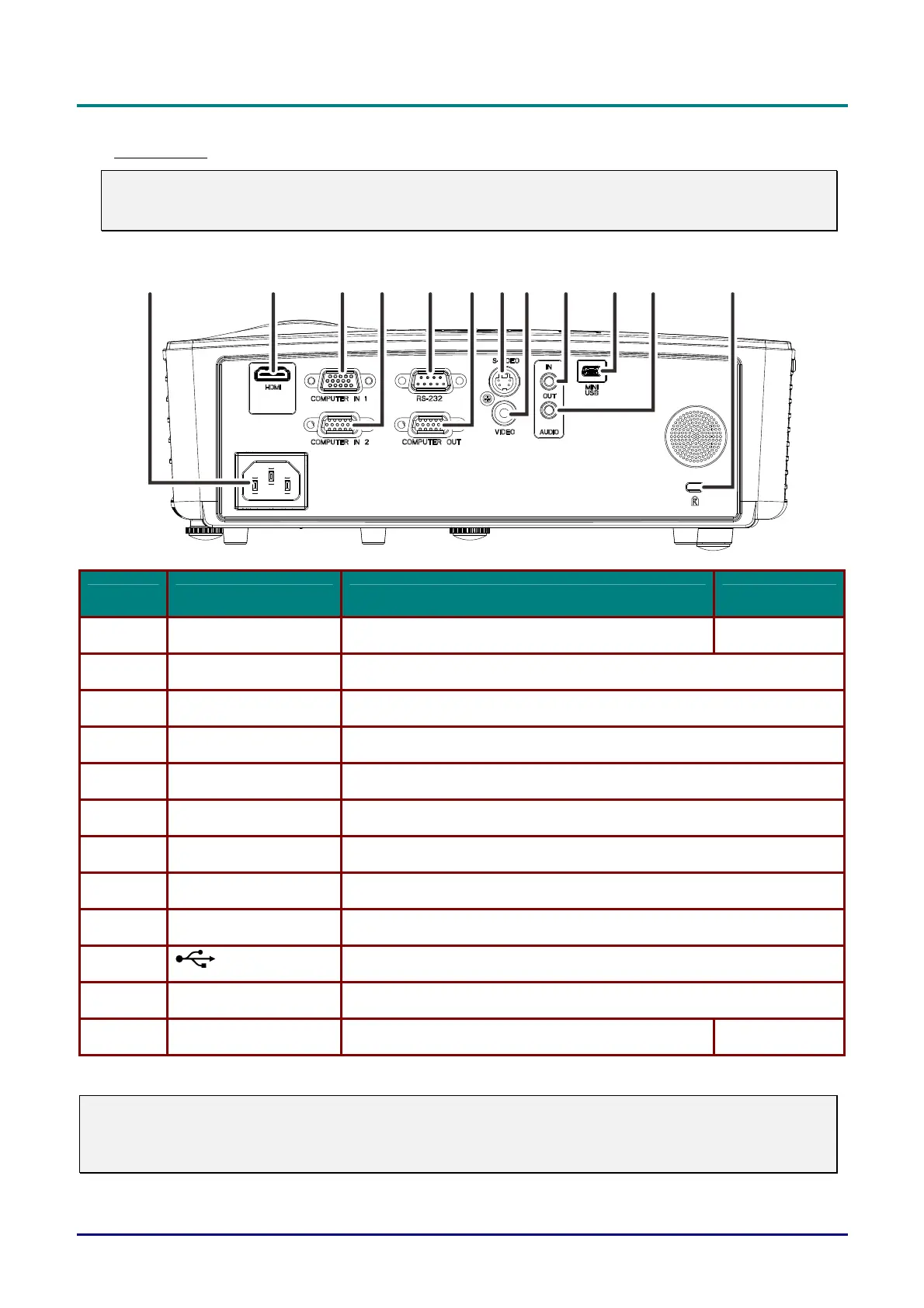
Rear view
Warning:
As a safety precaution, disconnect all power to the projector and connecting devices before making
connections.
1
2
3
45678910
11
12
ITEM LABEL DESCRIPTION SEE PAGE
1. AC IN Connect the POWER cable 9
2. HDMI (*1) Connect the HDMI cable from a HDMI device
3. COMPUTER IN 1 Connect the RGB cable from a computer
4. COMPUTER IN 2 (*2) Connect the RGB cable from a computer
5. RS-232C (*2) Connect RS-232 serial port cable for remote control
6. COMPUTER OUT (*2) Connect the RGB cable to a display
7.
S-VIDEO (*3)
Connect the S-VIDEO cable from a video device
8. VIDEO(*3) Connect the COMPOSITE cable from a video device
9. AUDIO IN Connect an AUDIO cable from the audio device
10. (USB) Connect the USB cable from a computer (For service only)
11. AUDIO OUT Connect an AUDIO cable to audio amplifier
12. Kensington Lock Secure to permanent object with a Kensington® Lock system 38
Note:
(*1) Not available in D550 / D552 / D55BA / D548 / D54HA / D551 / D560ST Series.
(*2) Not available in D548 / D54HA / D553 Series.
(*3) Not available in D55BA Series.
— 4 —



 To Next Page