DLP Projector—User’s Manual
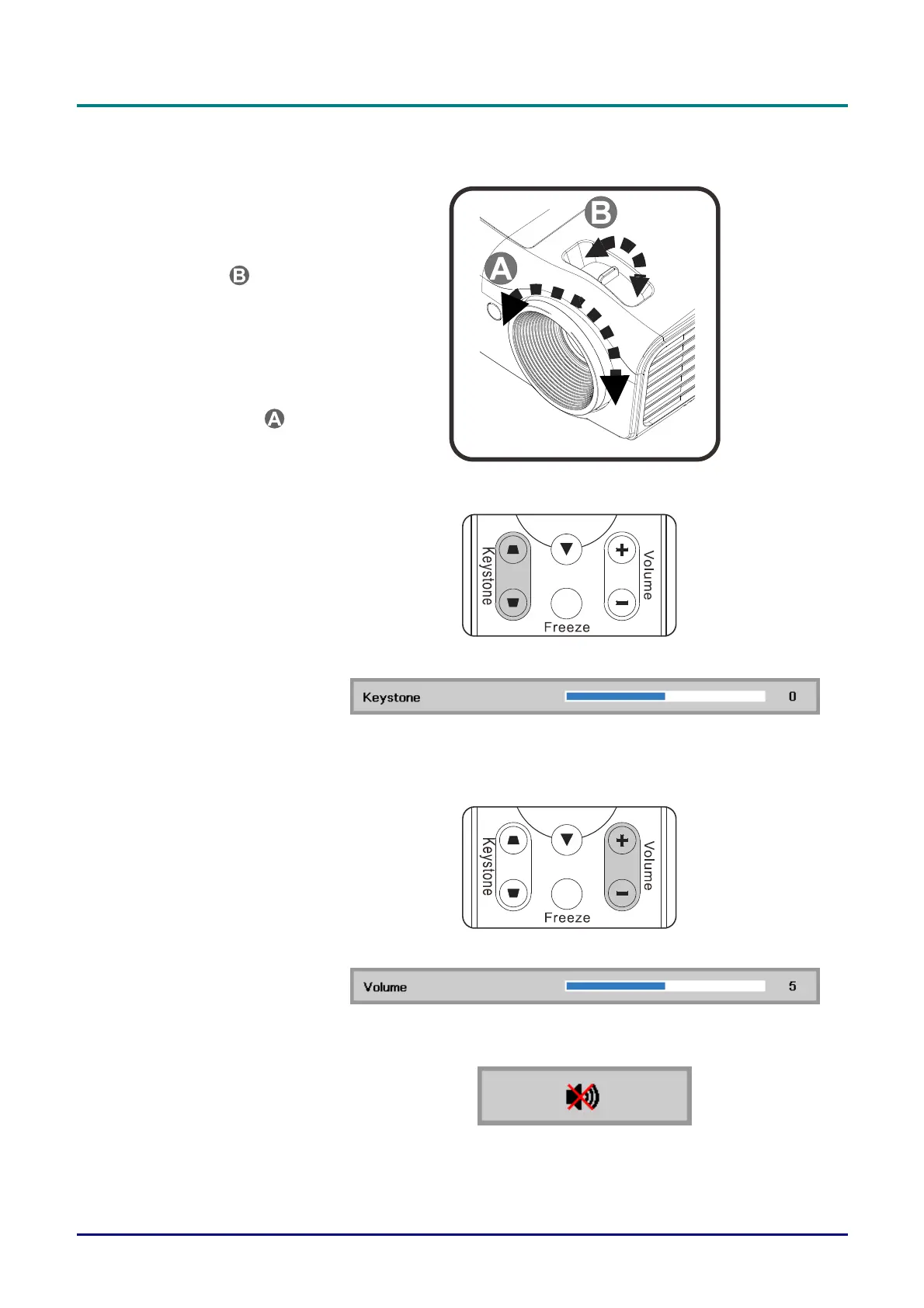
Adjusting the Zoom, Focus and Keystone
1.
Use the Image-zoom
control (on the projector
only) to resize the
projected image and
screen size
.
2.
Use the Image-focus
control (on the projector
only) to sharpen the
projected image
.
3.
Use the KEYSTONE
buttons the remote control
to correct image-trapezoid
(wider top or bottom)
effect.
4.
The keystone control
appears on the display.
Adjusting the Volume
1.
Press the Volume +/-
buttons on the remote
control.
The volume control
appears on the display.
2.
Press the MUTE button to
turn off the volume. (This
feature is available only on
the remote).
Note : Available in
different model
— 14
—



 To Next Page