DLP Projector—User’s Manual
Resetting the Lamp
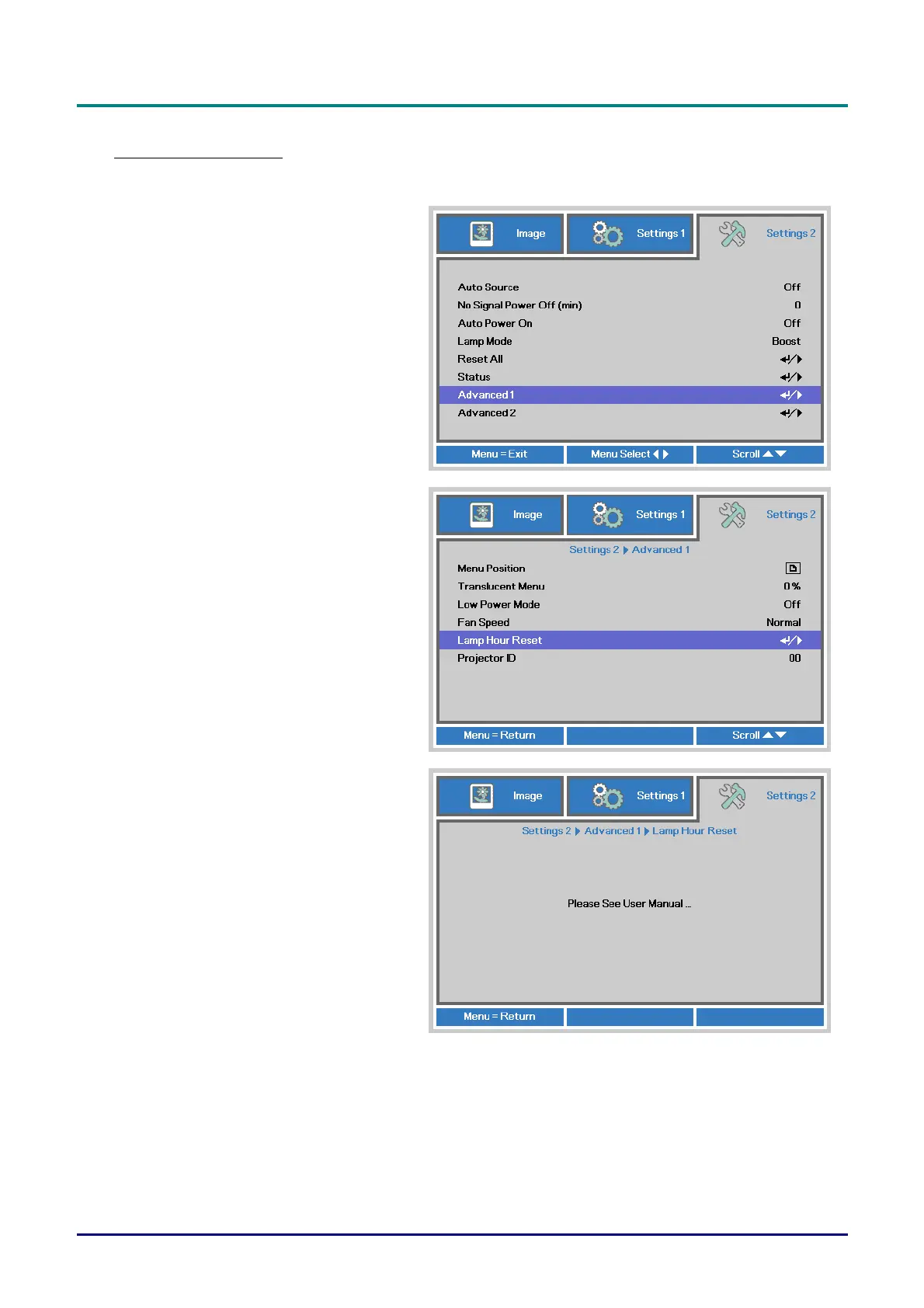
After replacing the lamp, you should reset the lamp hour counter to zero. Refer to the following:
1.
Press the MENU button to open the
OSD menu.
2.
Press the cursor ◄► button to move
to the Settings 2 menu. Press the
cursor button to move down to
Advanced 1 and press enter.
3.
Press the cursor ▼▲ button to move
down to Lamp Hour Reset.
4.
Press the cursor ► or Enter button.
A message screen appears.
5.
Press ▼▲◄► buttons to reset the
lamp hour.
6.
Press the MENU button to get back
to Settings 2.
— 36 —



 To Next Page