DLP Projector—User’s Manual
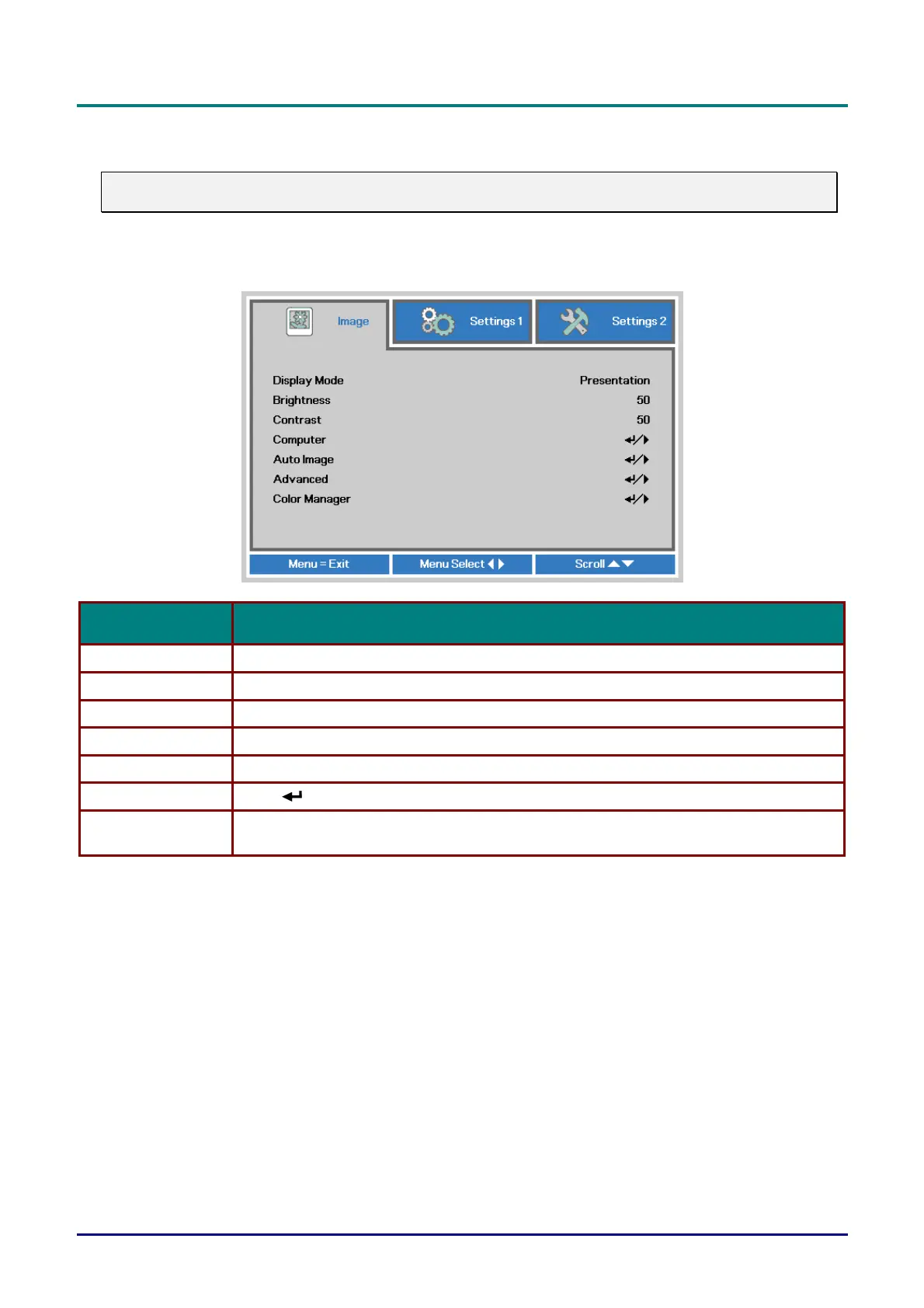
Image Menu
Attention !
All of display mode parameters when changed will be saved to user mode.
Press the MENU button to open the OSD menu. Press the cursor ◄► button to move to the Image
Menu. Press the cursor ▲▼ button to move up and down in the Image menu. Press ◄► to enter
and change values for settings.
ITEM DESCRIPTION
Display Mode Press the cursor ◄► button to enter and set the Display Mode.
Brightness Press the cursor ◄► button to enter and adjust the display brightness.
Contrast Press the cursor ◄► button to enter and adjust the display contrast.
Computer Press (Enter) / ► to enter the Computer menu. See Computer Menu on page 19.
Auto Image Press (Enter) / ► to automatically adjustment for phase, tracking, size and position.
Advanced Press (Enter) / ► to enter the Advanced menu. See Advanced Feature on page 20.
Color Manager
Press (Enter) / ► to enter the color manager menu. See page 21 for more information on
Color Manager.
— 18 —



 To Next Page