DLP Projector—User’s Manual
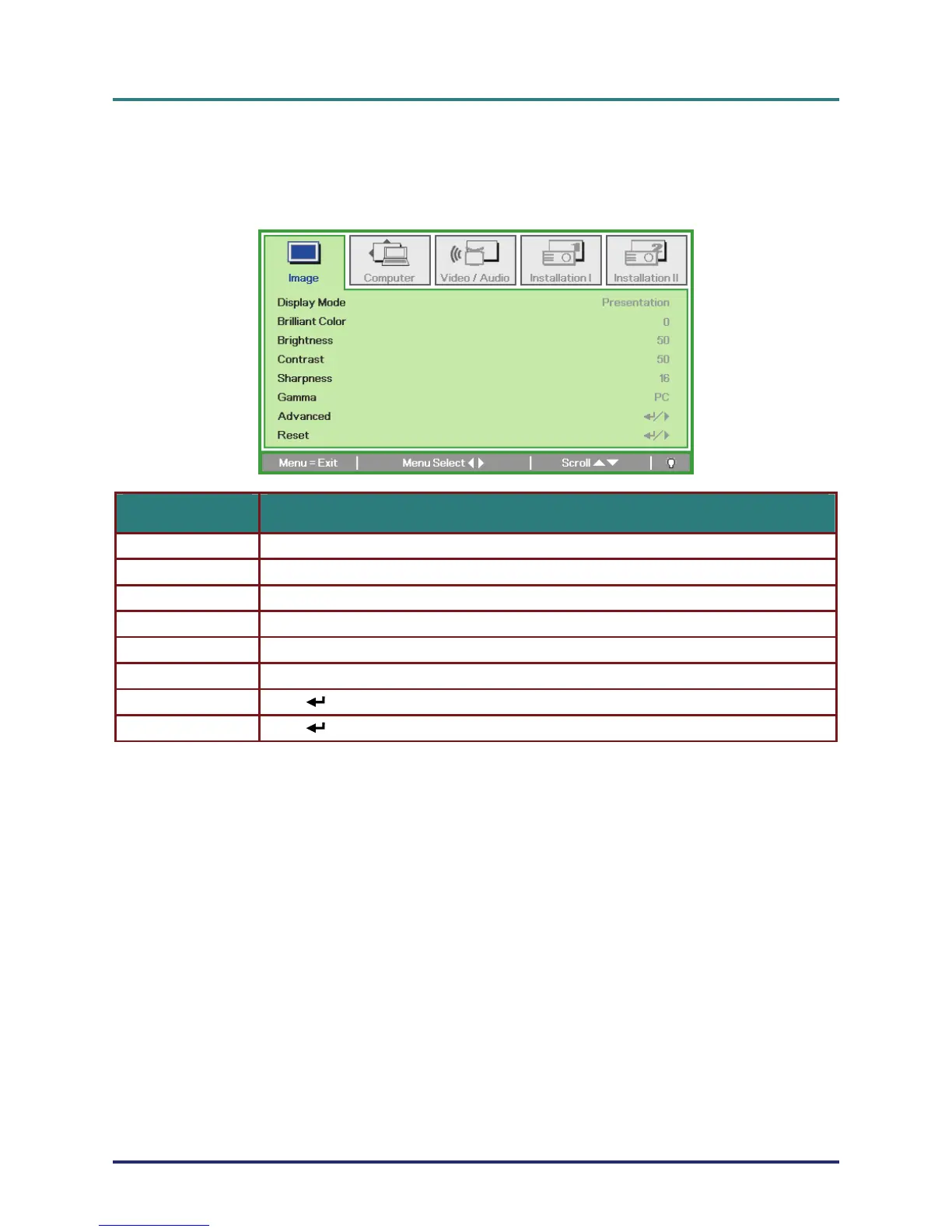
Image Menu
Press the MENU button to open the OSD menu. Press the cursor ユモ button to move to the Image
Menu. Press the cursor メヤ button to move up and down in the Image menu. Press ユモ to change
values for settings.
ITEM DESCRIPTION
Display Mode Press the cursor ユモ button to set the Display Mode.
Brilliant Color Press the cursor ユモ button to adjust the Brilliant Color value.
Brightness Press the cursor ユモ button to adjust the display brightness.
Contrast Press the cursor ユモ button to adjust the display contrast.
Sharpness Press the cursor ユモ button to adjust the display sharpness level.
Gamma Press the cursor ユモ button to adjust the gamma correction of the display.
Advanced Press (Enter) / モ to enter the Advanced menu. See Advanced Feature on page 23.
Reset Press (Enter) / モ to reset all settings to default values.
– 22 –



 To Next Page