DLP Projector – User’s Manual
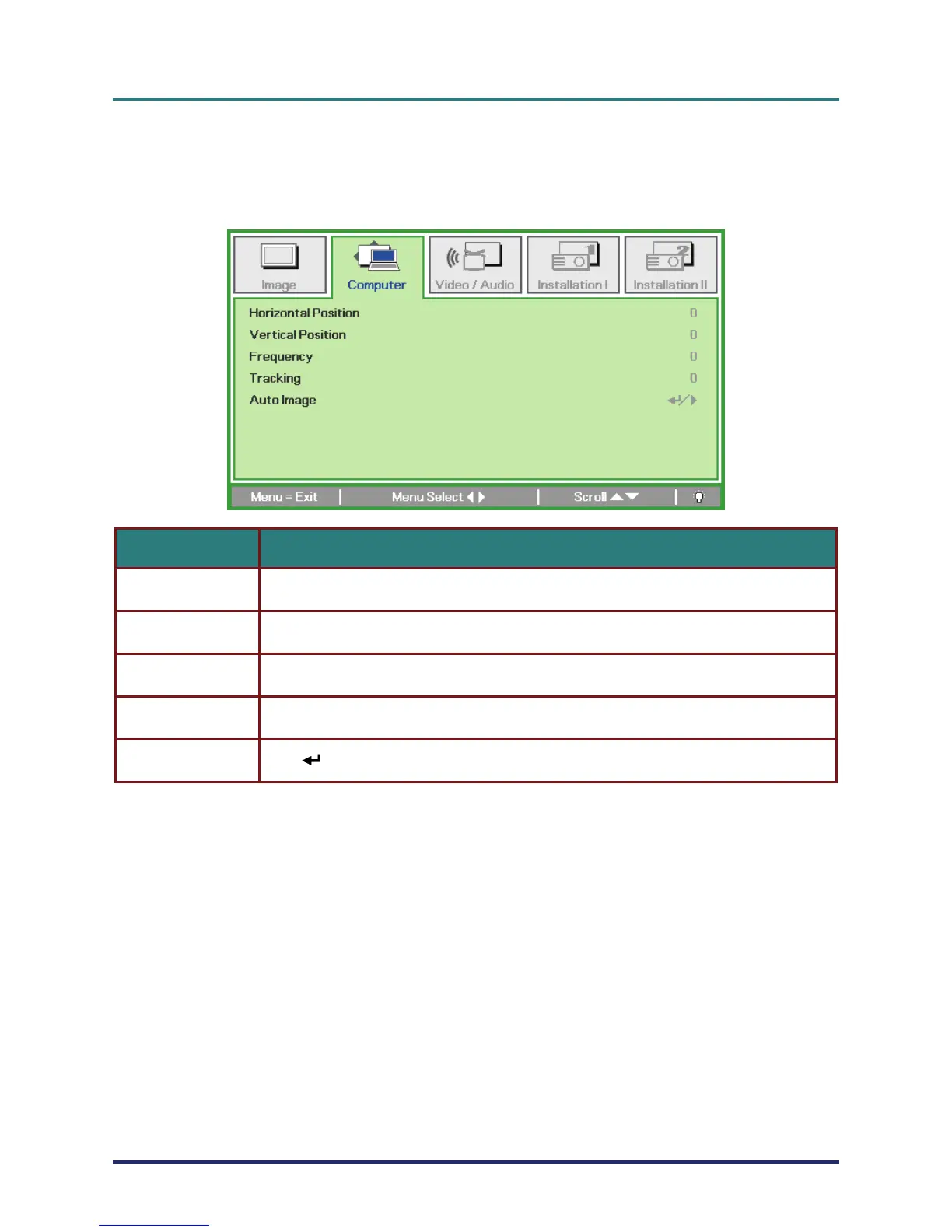
Computer Menu
Press the MENU button to open the OSD menu. Press the cursor ユモ button to move to the Com-
puter menu. Press the cursor メヤ button to move up and down in the computer menu. Press ユモ to
change values for settings.
ITEM DESCRIPTION
Horizontal Position Press the cursor ユモ button to adjust the display position to left or right.
Vertical Position Press the cursor ユモ button to adjust the display position to up or down.
Frequency Press the cursor ユモ button to adjust the A/D sampling clock.
Tracking Press the cursor ユモ button to adjust the A/D sampling dot.
Auto Image Press (Enter) / モ to automatically adjustment for phase, tracking, size and position.
– 25 –



 To Next Page