DLP Projector—User’s Manual
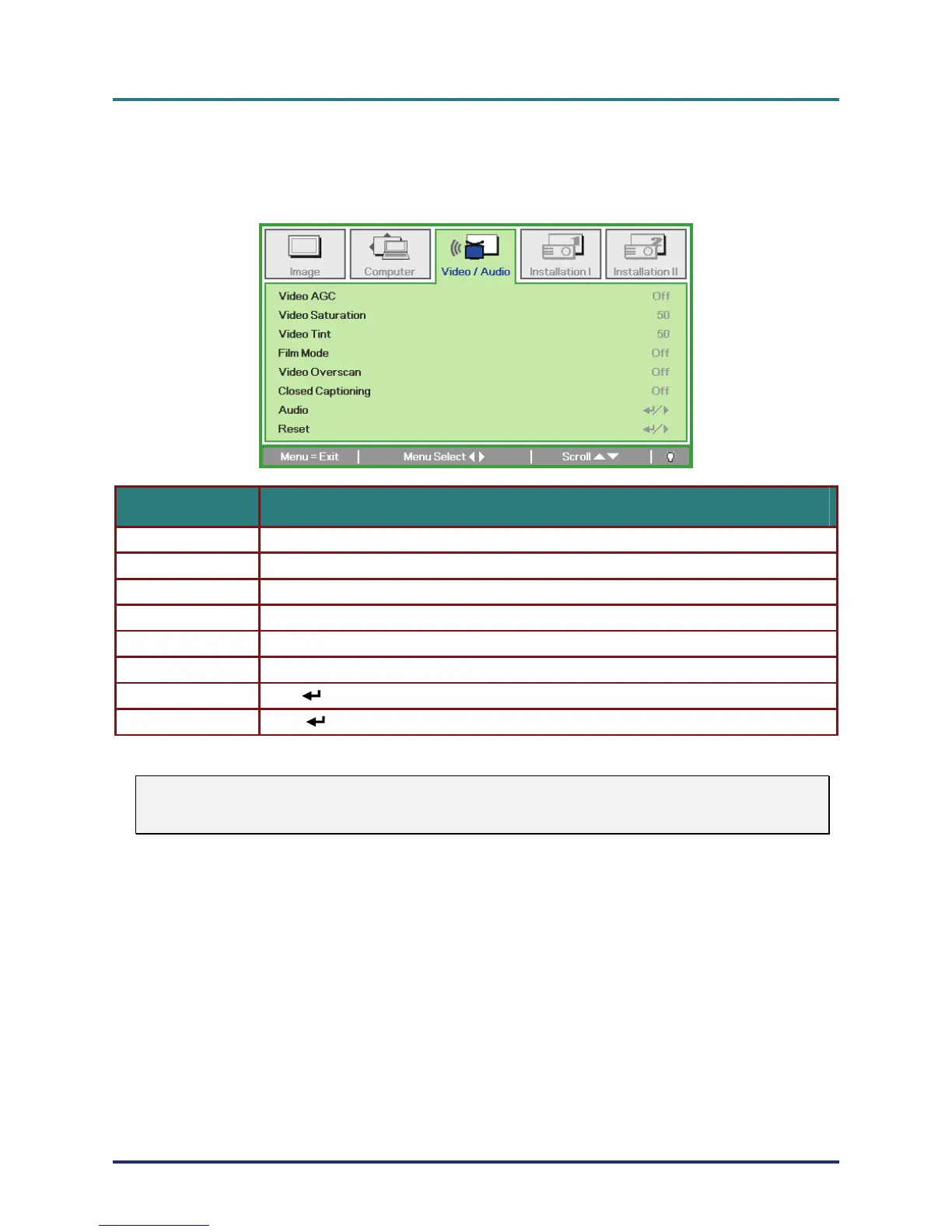
Video/Audio Menu
Press the MENU button to open the OSD menu. Press the cursor ユモ button to move to the
Video/Audio menu. Press the cursor メヤ button to move up and down in the Video/Audio menu.
Press ユモ to change values for settings.
ITEM DESCRIPTION
Video AGC Press the ユモ buttons to enable or disable the Automatic Gain Control for video source.
Video Saturation Press the ユモ buttons to adjust the video saturation.
Video Tint Press the ユモ buttons to adjust the video tint/hue.
Film Mode Press the ユモ buttons to select a different film mode.
Video Overscan Press the ユモ buttons to enable or disable video over scan.
Closed Captioning Press the ユモ buttons to enable or disable Closed Captioning
Audio Press (Enter) / モ to enter the Audio menu. See Audio on page 27.
Reset Press (Enter) / モ to reset all settings to default values.
Note:
Video jagging may occur when playing interlace video. To overcome this issue, open the
Video / Audio menu and adjust the Film Mode feature.
– 26 –



 To Next Page