11
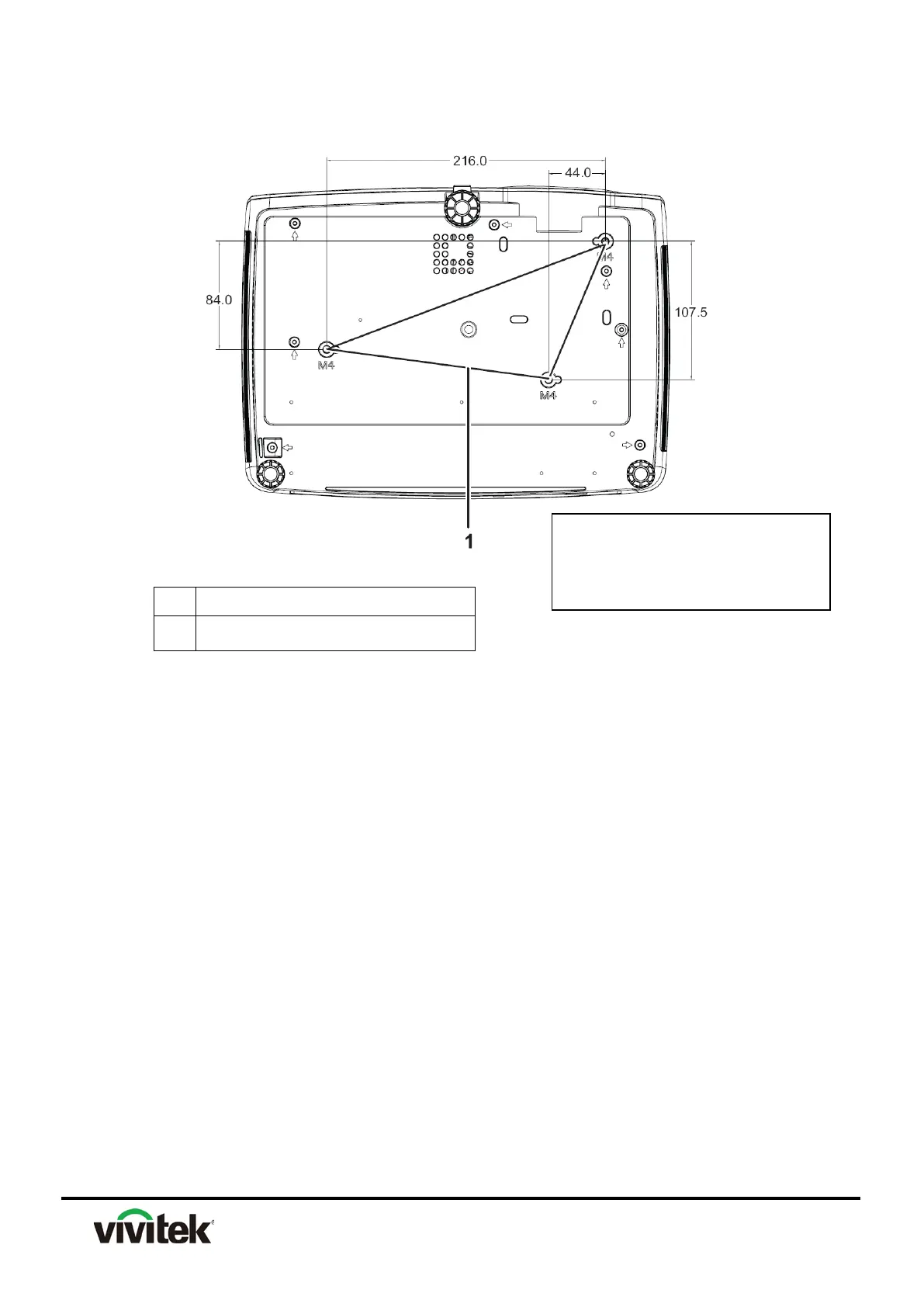
Bottom side
1 Ceiling mount holes
Note:
1. This projector can be used with a ceiling mount for support. The ceiling mount is not
included in the package.
2. Contact your dealer for information to mount the projector on a ceiling.
3. When installing the unit, incorporate a readily accessible disconnect device in the fixed
wiring, or connect the power plug to an easily accessible socket-outlet near the unit. If a
fault should occur during operation of the unit, operate the disconnect device to switch the
power supply off, or disconnect the power plug.
M4 x 8 (Max. L = 8 mm)



 To Next Page