13
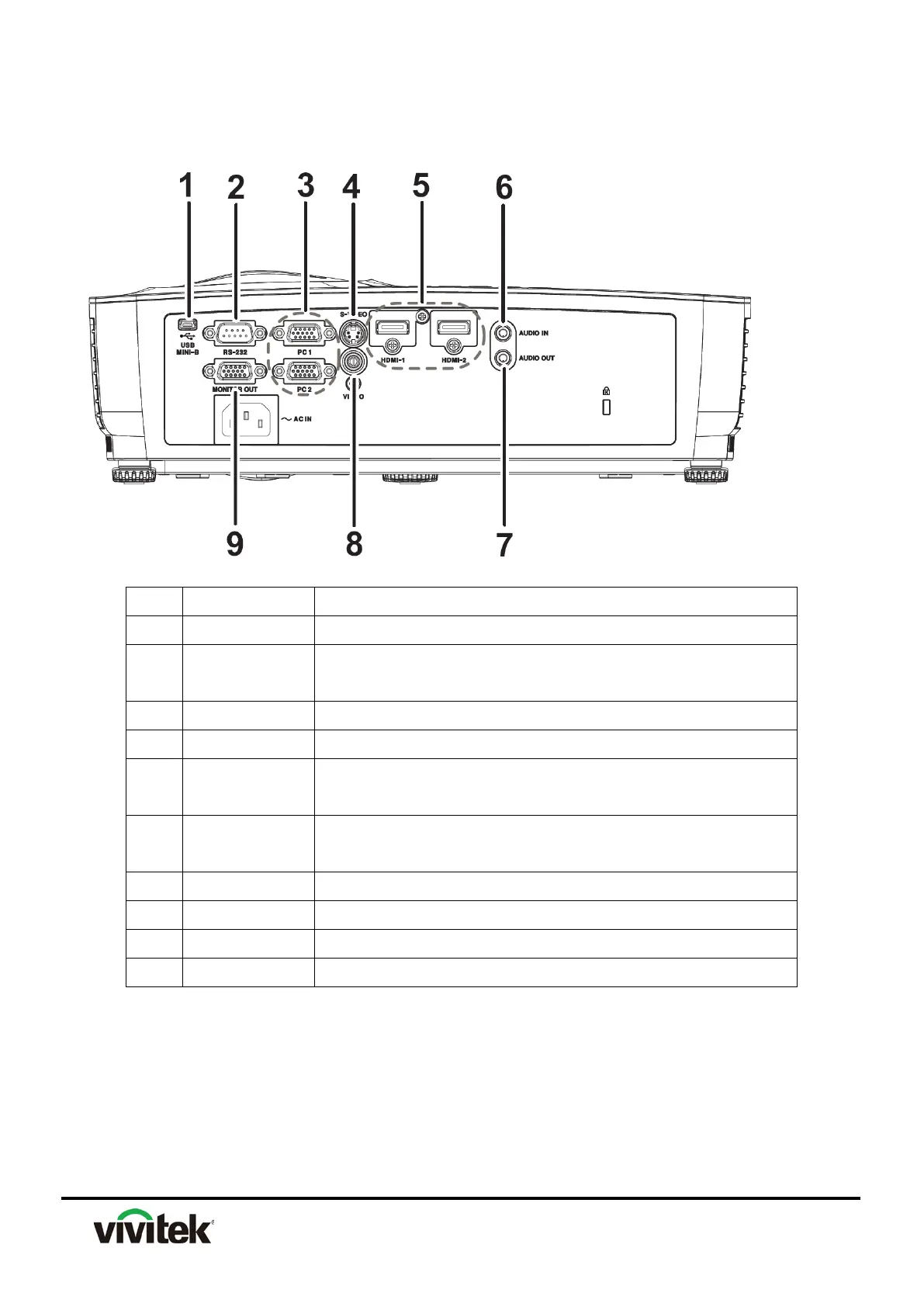
Connection Ports
1 USB MINI-B This connector is for firmware update.
2 RS-232
When operating the projector via a computer, connect this to the
controlling computer's RS-232C port.
3 PC 1/PC 2 Connect image input signal (analog RGB or component) to this jack.
4 S-VIDEO Connect S-Video output from video equipment to this jack.
5 HDMI-1/HDMI-2
Connect HDMI output from video equipment or computer to this
jack.
6 AUDIO IN
Connect an audio output from video equipment or computer to this
jack.
7 AUDIO OUT Connect to a speaker or other audio input equipment.
8 VIDEO Connect composite video output from video equipment to this jack.
9 MONITOR OUT Connect to a computer display, etc.
10 OK Changes settings in the OSD



 To Next Page