Main Page
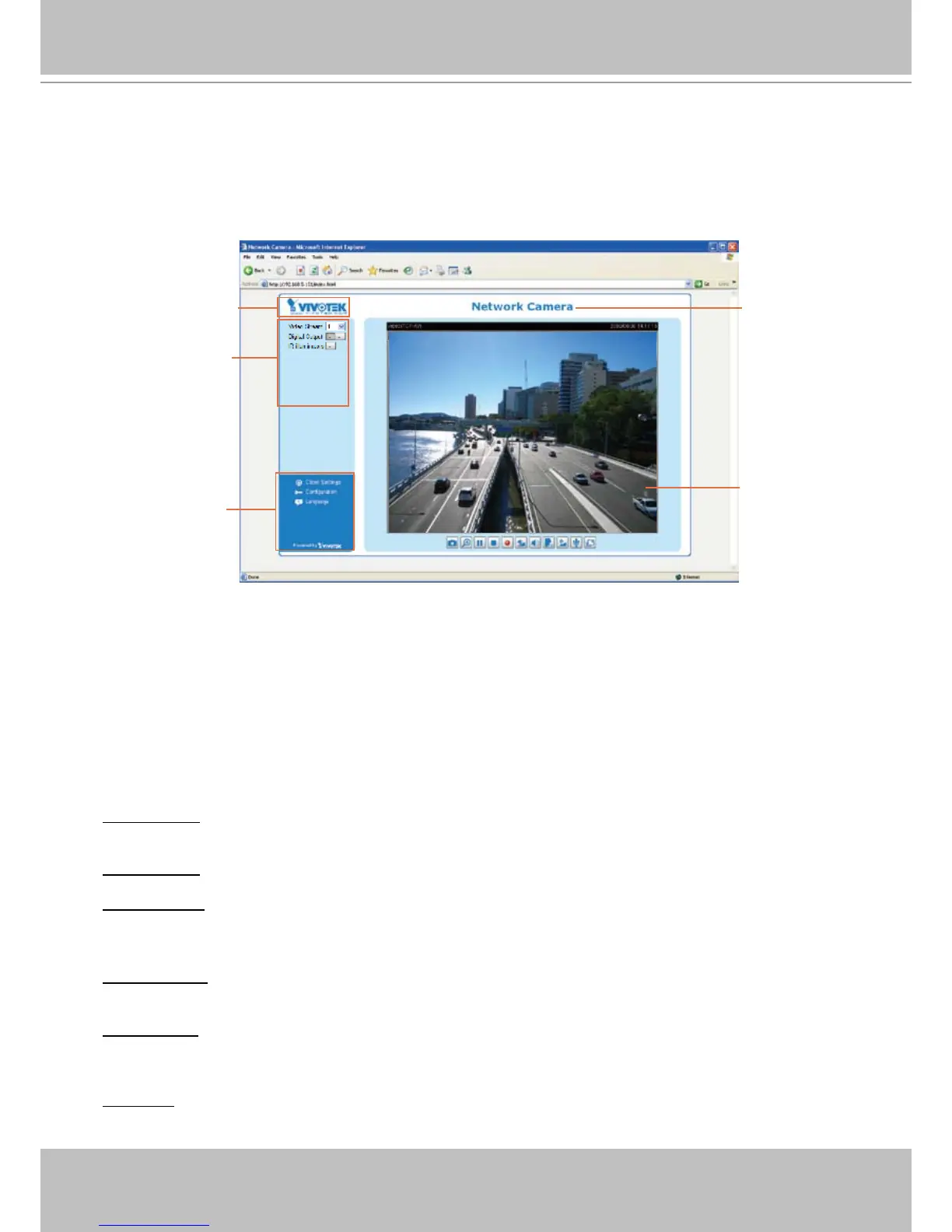
This chapter explains the layout of the main page� It is composed of the following sections:
VIVOTEK INC� Logo, Host Name, Camera Control Area, Configuration Area, Menu, and Live
Video Window�
VIVOTEK INC. Logo
Click this logo to visit VIVOTEK website�
Host Name
The host name can be customized to t your needs. For more information,
please refer to
System on page
28�
Camera Control Area
Video Stream: This Network Cmera supports MJPEG or MPEG-4 dual streams simultaneously. You can
select either one for live viewing�
Digital Output: Click to turn the digital output device on or off�
IR illuminators: Click to turn on the IR LEDs for 20 seconds�
Conguration Area
Client Settings: Click this button to access the client setting page� For more information, please refer to
Client Settings on page 25�
Conguration: Click this button to access the conguration page of the Network Camera. It is suggested
that a password be applied to the Network Camera so that only the administrator can configure the
Network Camera� For more information, please refer to Conguration on page 27�
Language: Click this button to choose a language for the user interface� Language options are available
in: English, Deutsch, Español, Français, Italiano,
日本語
, Português,
簡体中文
, and
繁體中文
�



 To Next Page