EasyManua.ls Logo

Vivotek FD7141 - Physical Description

Vivotek FD7141
129 pages
Print Icon
To Next Page IconTo Next Page
To Previous Page IconTo Previous Page
Loading...
VIVOTEK - A Leading Provider of Multimedia Communication Solutions
4 - User's Manual
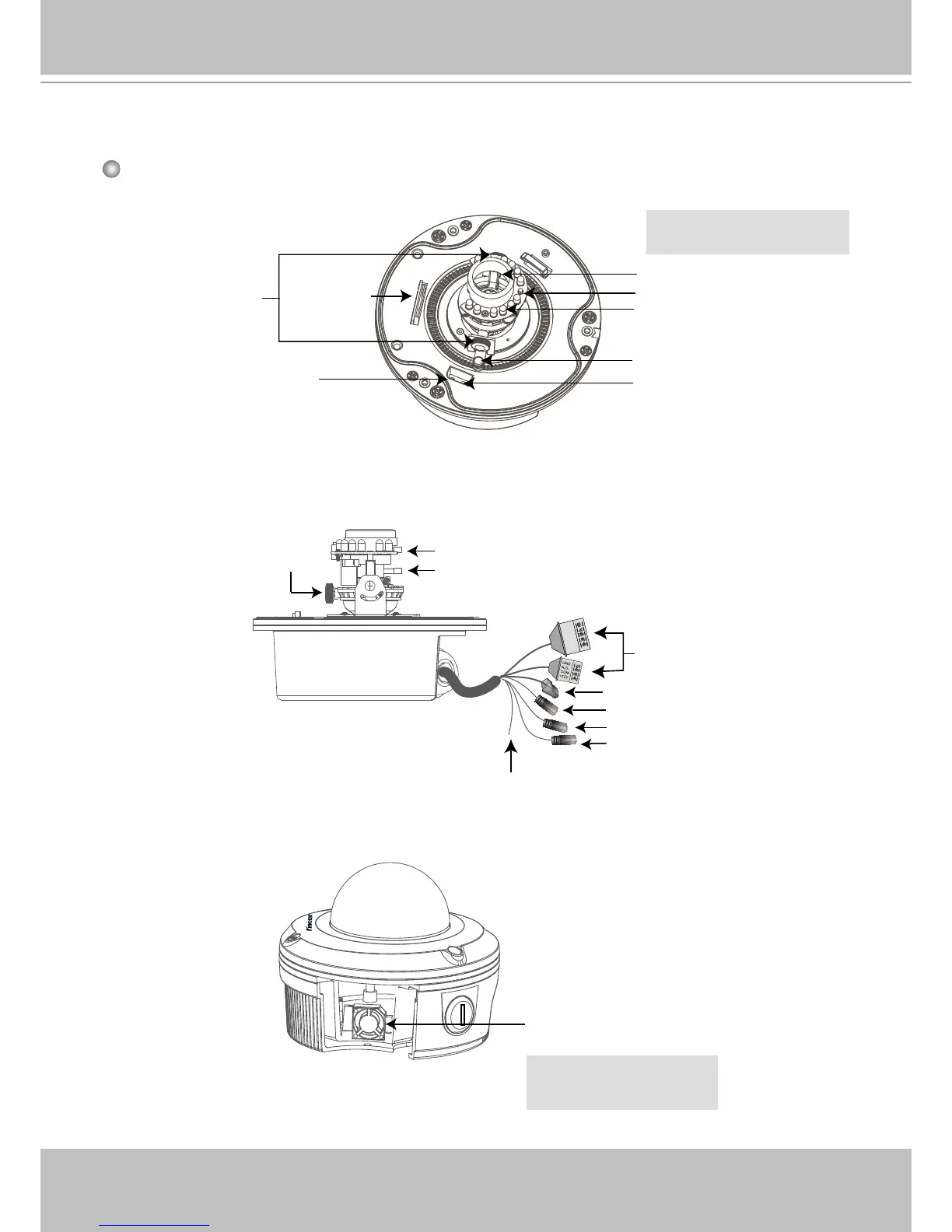
Physical Description
Tilt Screw
SD Card
Slot
IR LEDs
Recessed Reset Button
Status LED
Light Sensor
Pan Screw
Lens
Inner View
N.C.
N.C.
N.C.
AC24V
AC24V
Focus Controller
Zoom Controller
Image Adjustment
Screw
Ethernet 10/100 RJ45 Plug
Audio Out (green)
Microphone In (pink)
Power Cord Socket (black)
General I/O Terminal
Block
Ground
Fan
The fan will operate when the
temparature inside the Network
Camera reaches over 50°C�
f= 3�3~12 mm (FD7141 Lens)
f= 9~22 mm (FD7141V Lens)


Table of Contents

Other manuals for Vivotek FD7141

Related product manuals