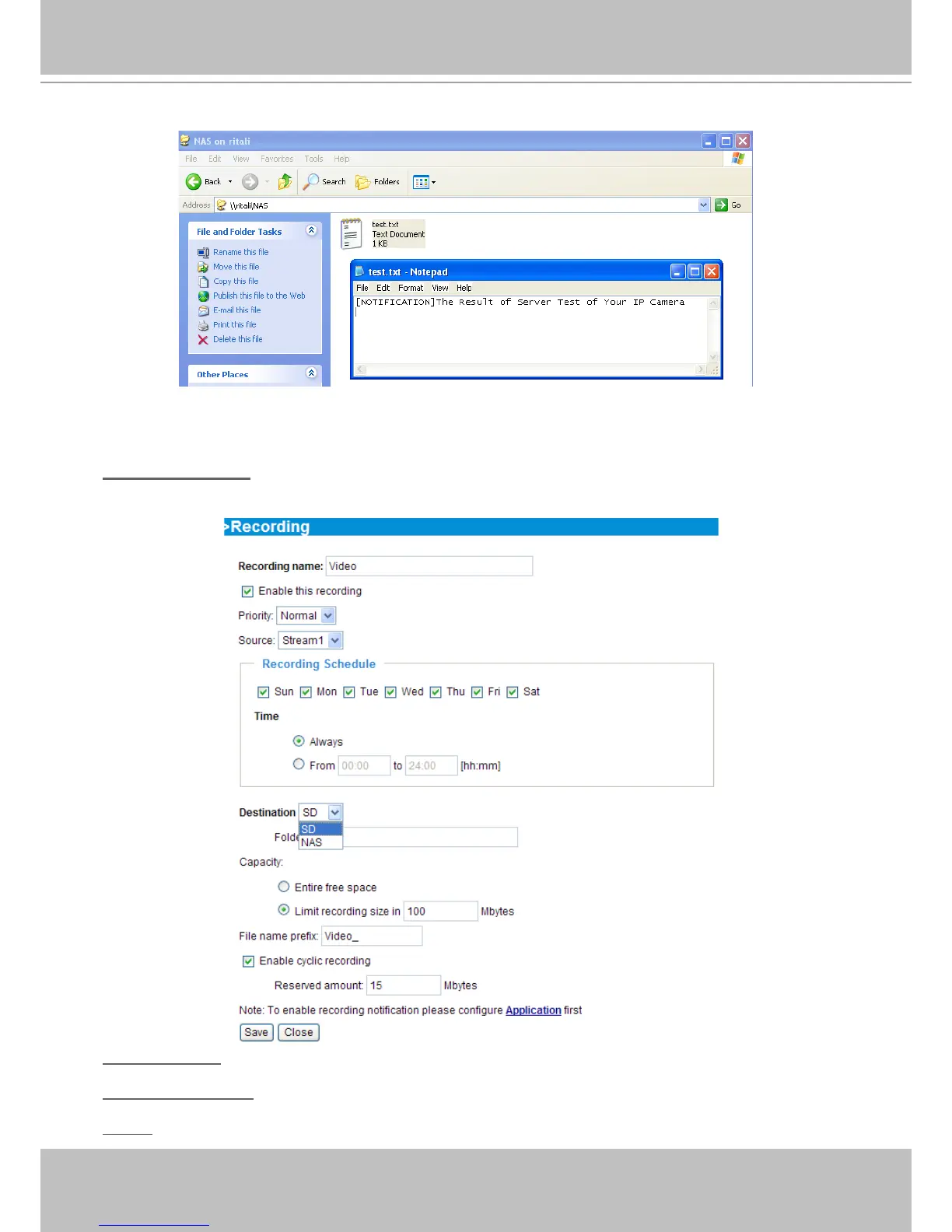
If successful, you will receive a test.txt le on the network storage server.
3� Enter a server name�
4� Click Save to enable the settings and click Close to exit the page�
Recording Settings
Click Add to open the recording setting page� On this page, you can define the recording source,
recording schedule and recording capacity. A total of 2 recording settings can be congured.
Recording name: Enter a name for the recording setting�
Enable this recording: Select this option to enable video recording�
Priority: Select the relative importance of the recording setting (High, Normal, and Low)�



 To Next Page