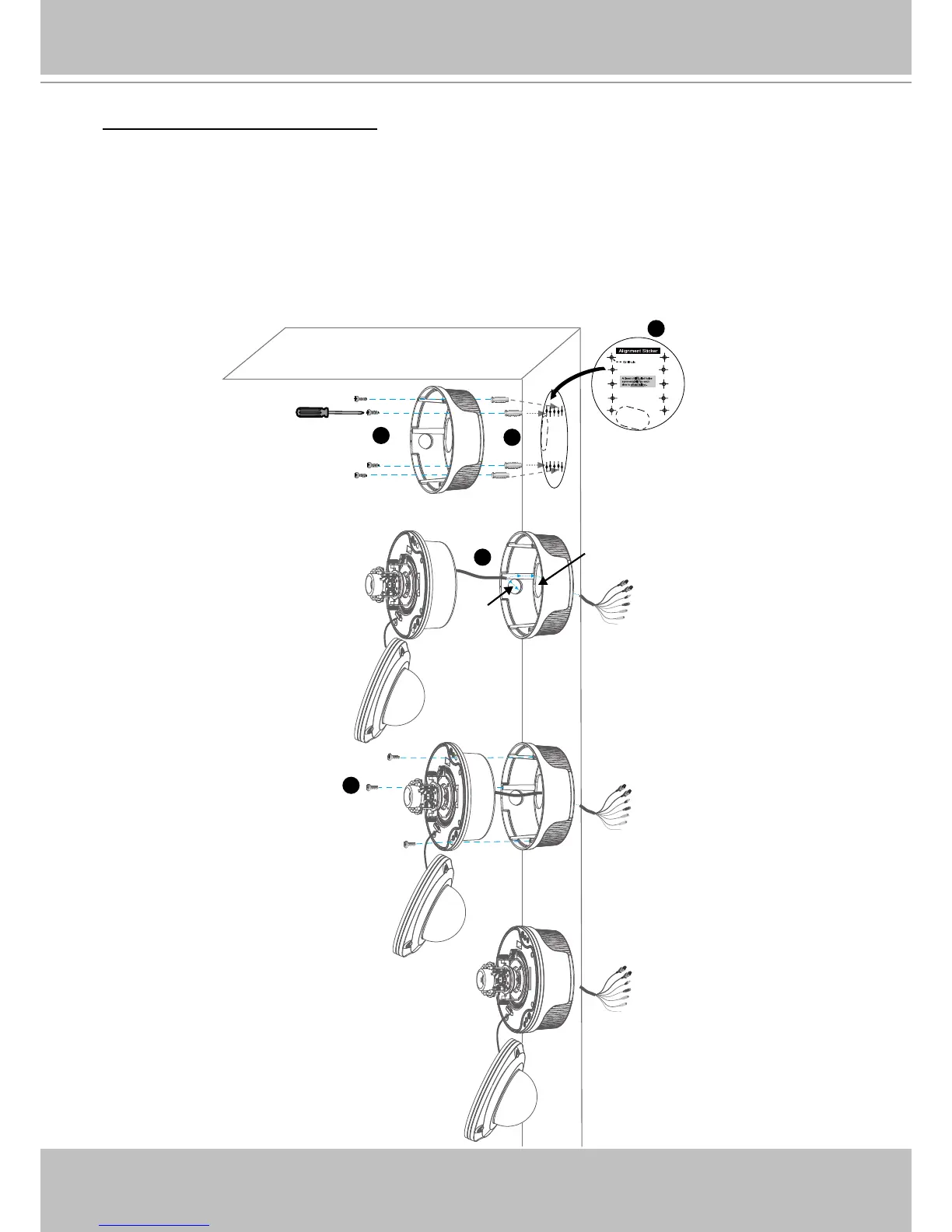
Wall mount with the bottom base
1� Attach the supplied alignment sticker to the wall�
2� Using the 10 circles on the sticker, drill 2 pilot holes symmetrically on each side into the wall�
Then hammer the four supplied plastic anchors into the holes�
3� Using the four holes on the bottom base, insert the four supplied screws to corresponding
holes and secure the bottom base with a screwdriver�
4� Feed the cables through hole A or B� If you want to use hole B, remove the rubber stopper
with a screwdriver�
5� Secure the camera base to the bottom base with three supplied screws�



 To Next Page