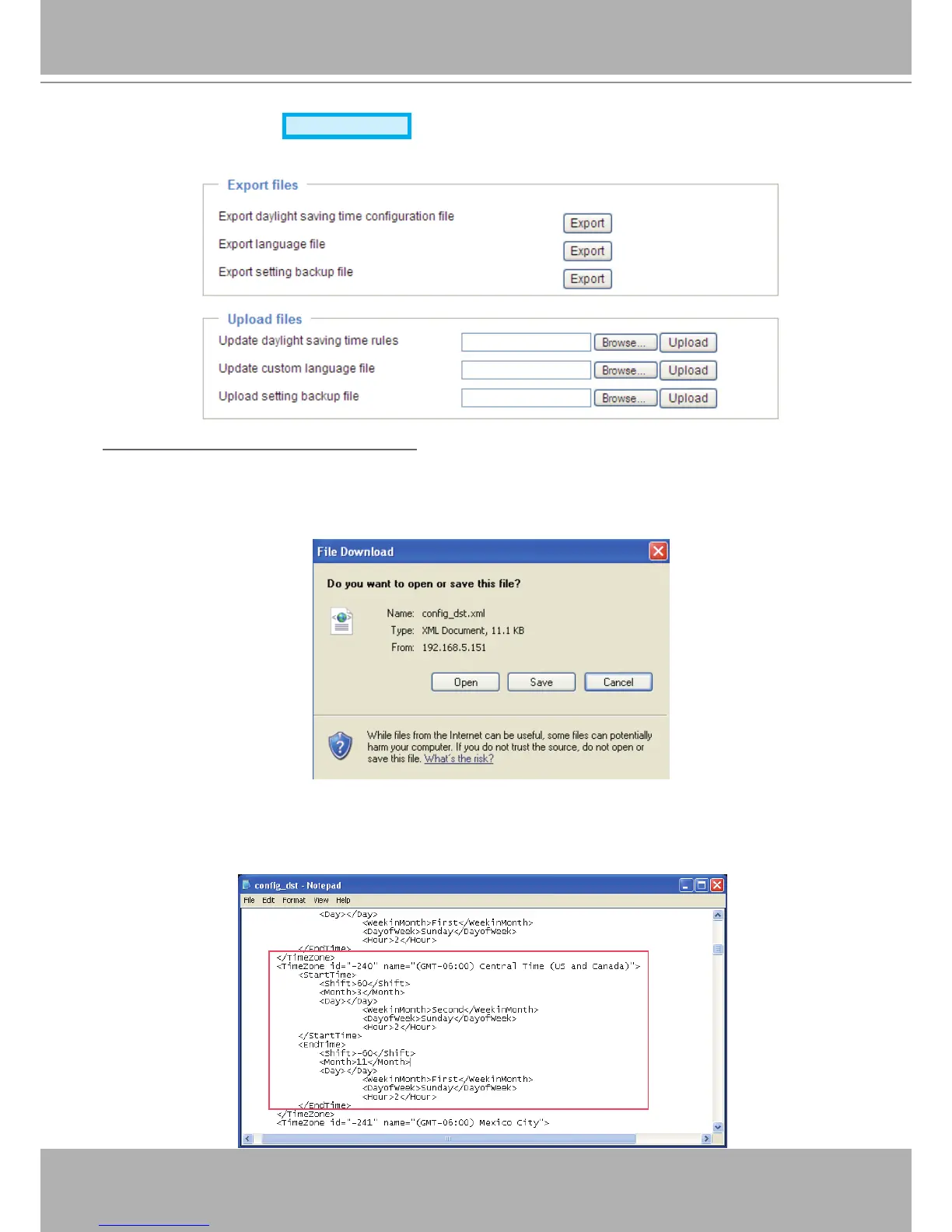
Export / Upload Files
Advanced Mode
This feature allows you to Export / Upload daylight saving time rules, custom language les, and setting
backup les.
Export daylight saving time conguration le: Click to set the start and end time of DST�
Follow the steps below to export:
1. In the Export les column, click Export to export the daylight saving time conguration le from the
Network Camera�
2. A le download dialog will pop up as shown below. Click Open to review the XML le or click Save to
store the le for editing.
3. Open the le with Microsoft
®
Notepad and locate your time zone; set the start and end time of DST�
When completed, save the le.
In the example below, DST begins each year at 2:00 a.m. on the second Sunday in March and ends at
2:00 a.m. on the rst Sunday in November.



 To Next Page