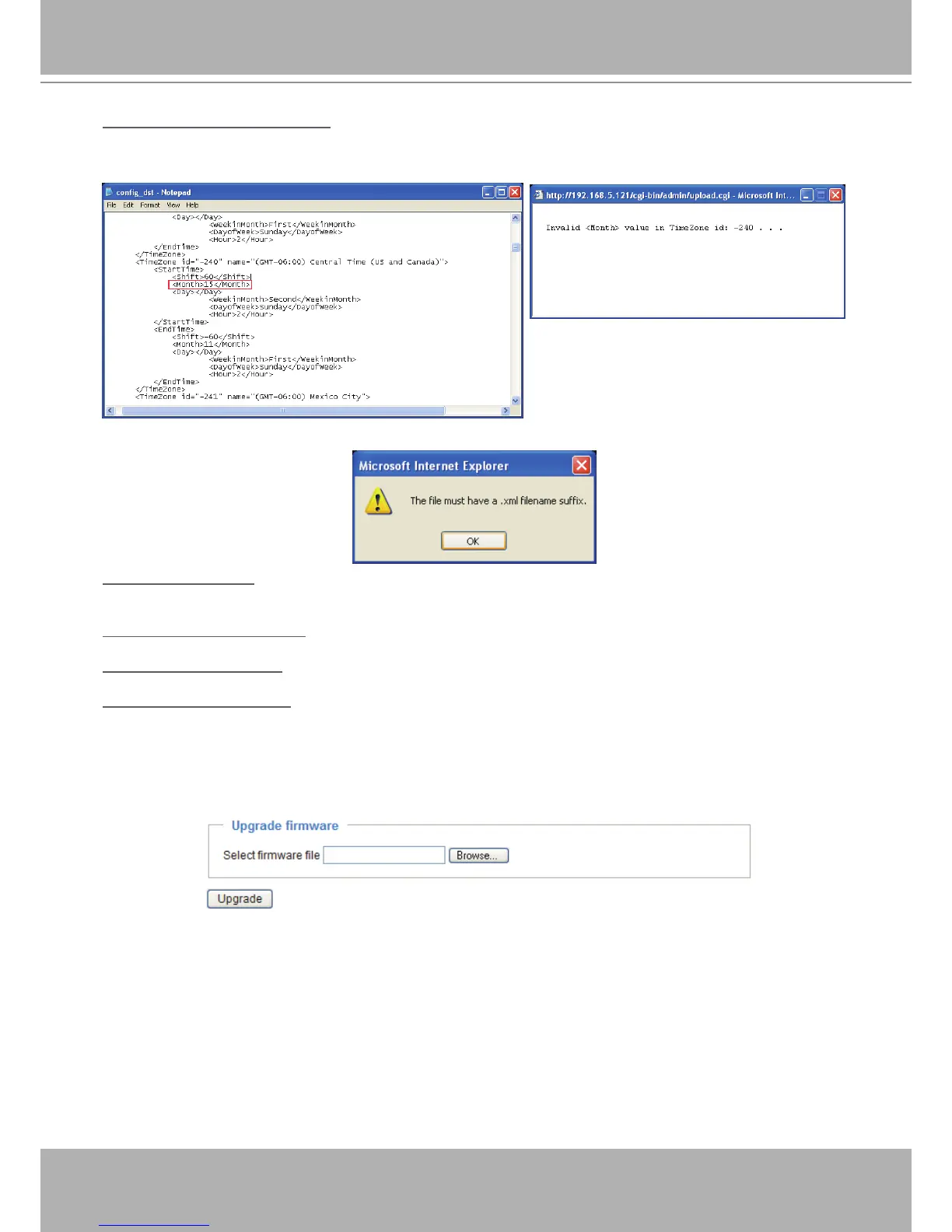
Upload daylight saving time rule: Click Browse… and specify the XML le to upload.
If the incorrect date and time are assigned, you will see the following warning message when uploading
the le to the Network Camera.
The following message is displayed when attempting to upload an incorrect le format.
Export language file: Click to export language strings. VIVOTEK provides nine languages: English,
Deutsch, Español, Français, Italiano,
日本語
, Português,
簡体中文
, and
繁體中文
�
Upload custom language le: Click Browse… and specify your own custom language le to upload.
Export setting backup le: Click to export all parameters for the device and user-dened scripts.
Upload setting backup le: Click Browse… to upload a setting backup le. Please note that the model
and rmware version of the device should be the same as the setting backup le. If you have set up a
xed IP or other special settings for your device, it is not suggested to upload a settings backup le.
Upgrade Firmware
This feature allows you to upgrade the firmware of your Network Camera� It takes a few minutes to
complete the process�
Note: Do not power off the Network Camera during the upgrade!
Follow the steps below to upgrade the rmware:
1. Download the latest rmware le from the VIVOTEK website. The le is in .pkg le format.
2� Click Browse… and specify the rmware le.
3� Click Upgrade� The Network Camera starts to upgrade and will reboot automatically when the upgrade
completes�
If the upgrade is successful, you will see “Reboot system now!! This connection will close”� After that, re-
access the Network Camera�



 To Next Page