VIVOTEK
14 - User's Manual
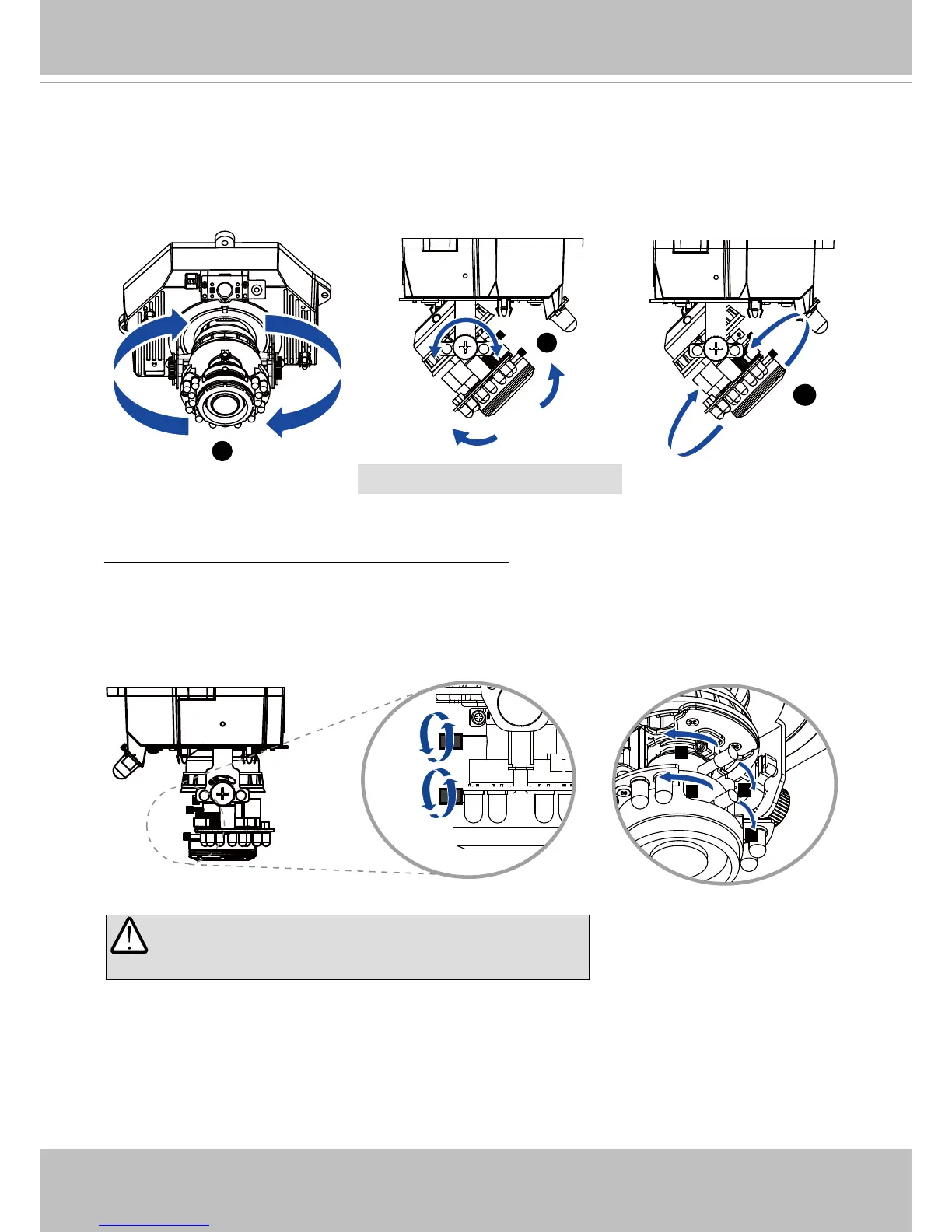
Based on the live image retrieved from the camera, adjust the camera lens to the desired view
angle:
1� Turn the lens module left and right�
2� Loosen the tilt adjustment screws on both sides of the camera and then turn the lens module
up and down� Upon completion, tighten the screws�
3� Turn the lens to adjust the image orientation�
1
3
2
Pan 350°
Rotate 350°
Tilt 65°
3-axis Mechanism Design
IMPORTANT! DO NOT over-tighten the controller
bars� Doing so will damage the camera lens module�
W
T
8
N
To adjust the zoom factor and focus range
1� Loosen the zoom controller and then adjust zoom factor by moving the controller left and
right� Upon completion, tighten the zoom controller screw�
2� Loosen the focus controller and then adjust focus range by moving the controller left and
right� Upon completion, tighten the focus controller screw�



 To Next Page