Station User Guide xiii
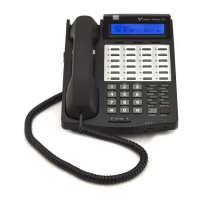
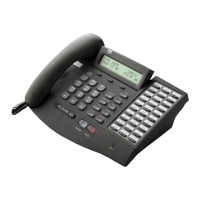
Number Feature Description
1Display (Executive
Models only)
Displays information about telephone status,
dialing directories, and text message information.
2 h t p Used to select mode of operation: Handsfree, Tone,
or Privacy.
3 msg Key Used for Auto-CallBack to a phone that has left a
text message or to access voice messages.
4 conf Key Used to establish conference calls.
5 forward Key Used to forward your calls to another station or
voice mail.
6 speed Key Used to access speed dialing, save number redial,
and last number redial. Buton is also used to access
flexible button programming.
7 trans Key Used to transfer an outside call from one station to
another.
8 mute Key Used to activate/deactivate MUTE function. When
activated, party on other end cannot hear you.
9 camp-on Key Used to alert a busy station that an outside line is on
hold and waiting for them.
10 on/off Key Used to make a call without lifting the handset.
11 flash Key Used to end an outside call and to restore dial tone
without hanging up receiver.
12 volume Key Used to adjust level of tones, background music,
ringing, receiver volume, and display contrast.
13 hold Key Used to hold calls, to retrieve held calls.
14 Microphone Used to talk with other party without using the
handset.
15 Speaker Outputs tones and voice at your extension.
16 Flexible Button
Keys
Used to access outside lines or access call-handling
features.


 To Next Page