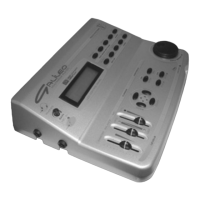
DATA FILER
CONTENTS
95
1. IMPORTANT NOTES ........................................................................................................... 97
1.1 Looking after the product ................................................................................................. 97
1.2 Notes about the instrument.............................................................................................. 97
1.3 Notes about the manual ...................................................................................................98
2. MAIN CHARACTERISTICS .................................................................................................. 99
2.1 The Genius’s structure .................................................................................................... 99
2.2 Data format...................................................................................................................... 99
3. CONTROLS AND CONNECTIONS................................................................................... 100
3.1 The front panel............................................................................................................... 100
3.2 The floppy disk driver ..................................................................................................... 102
3.3 The rear panel................................................................................................................ 103
4. CONNECTIONS ................................................................................................................. 104
5. PLAYING BACK SONGS.................................................................................................... 105
5.1 The Main Page............................................................................................................... 105
5.1.1 Error messages ..................................................................................................... 108
5.2 Use the [REW] and [FF] keys ........................................................................................ 109
5.3 Multitask Song Selection (Song Next field) .................................................................... 110
5.4 Directory function........................................................................................................... 111
5.5 Displaying the lyrics of the song .................................................................................... 112
6. REAL TIME FUNCTIONS................................................................................................... 114
6.1 Lyrics .............................................................................................................................114
6.2 Track muting .................................................................................................................. 115
6.2.1 Mute Setup ............................................................................................................. 115
6.3 Trasposing the key......................................................................................................... 116
6.3.1 Transpose Setup.................................................................................................... 116
6.4 Setting the metronome tempo ....................................................................................... 117
6.4.1 Tempo Setup .......................................................................................................... 117
7. RECORDING SONG ..........................................................................................................118
7.1 Foreword ....................................................................................................................... 118
7.2 Starting recording ..........................................................................................................118
7.3 Saving the recording ...................................................................................................... 119
7.3.1 Error messages ..................................................................................................... 120
8. SYSTEM UTILITIES ........................................................................................................... 121
8.1 Disk ............................................................................................................................... 121
8.1.1 Format ................................................................................................................... 122
8.1.2 Quick Format .........................................................................................................123
8.1.3 File Sort .................................................................................................................. 124
8.1.4 FD Label................................................................................................................. 125
8.1.5 FD Copy ................................................................................................................. 126
8.1.6 Info ......................................................................................................................... 130
8.1.7 Error messages - Disk section .............................................................................. 131
8.2 Files ............................................................................................................................... 134
8.2.1 Copy....................................................................................................................... 134
8.2.2 Delete ..................................................................................................................... 139


 To Next Page