DATA FILER
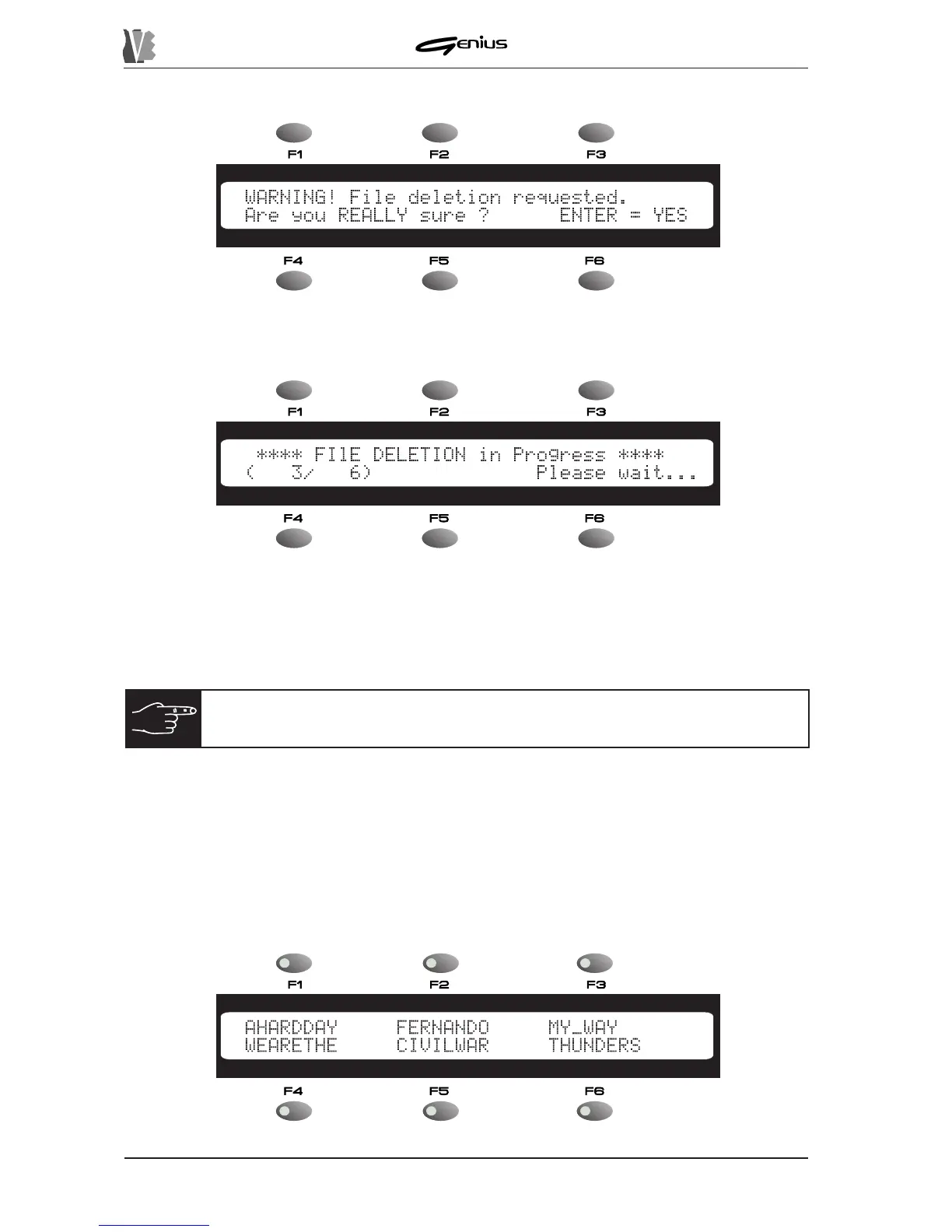
Once [ENTER] has been pressed, the display will show the following video page.
in which you can confirm deletion of the files already selected.
If the operation is confirmed, for a few moments the display will show:
The
(nn/nn)
option displays the number of files deleted in relation to the total number
selected for deletion. When the operation is complete, the display will show the
COMPLETED
message for a few moments.
Press [ESC] to return to display of the FILES menu.
8.2.3 RENAME
Another operation possible on individual files is RENAME, which can be used to change the
name of files saved on a floppy disk or in the internal memory.
From the FILES menu, use the [F3] function key to select the RENAME function. The display
will show the DIRECTORY video page:
140
NOTE:
also refer to section 8.4.6 covering Memory Compact for the
procedures for updating the space available in the internal flash memory
.


 To Next Page