DATA FILER
10.2 SAVING THE LIST
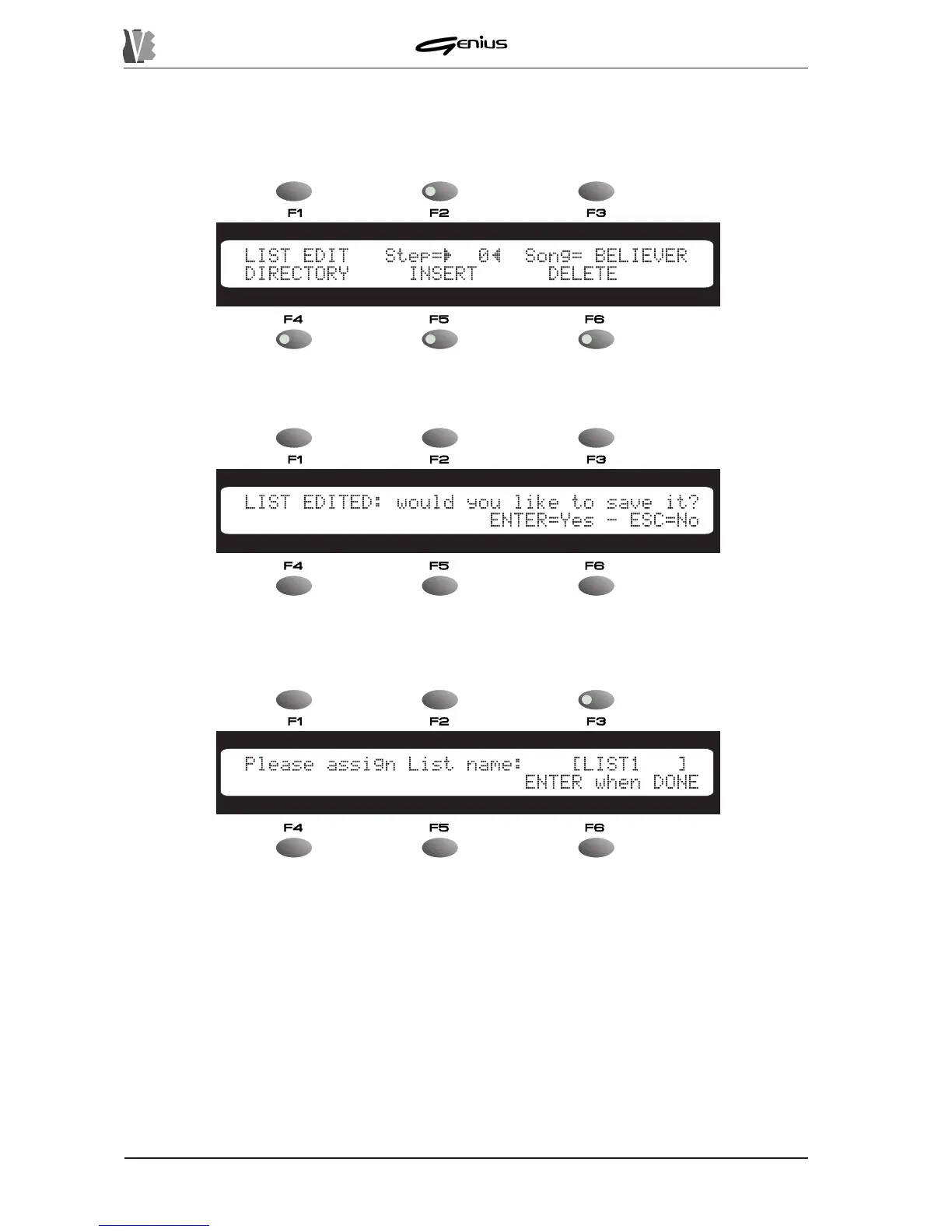
From the EDIT LIST main page:
press the [ENTER] button; the display will show the video page:
as prompt for proceeding with the saving operation. Press [ENTER] and the video page for
assigning the name to the List will be displayed.
You can use the SOURCE buttons to select the unit which is to contain the list created. Naturally,
for access to the DISK option the floppy disk must be inserted and recognised.
You can use the encoder to scroll through the characters and the PAGE buttons to position
the cursor. Blank spaces cannot be inserted between the characters.
Press [ENTER] to conclude the procedure.
For the error video pages relating to List saving, refer to point 7.3.1.
176


 To Next Page