DATA FILER
3. CONTROLS AND CONNECTIONS
3.1 THE FRONT PANEL
100
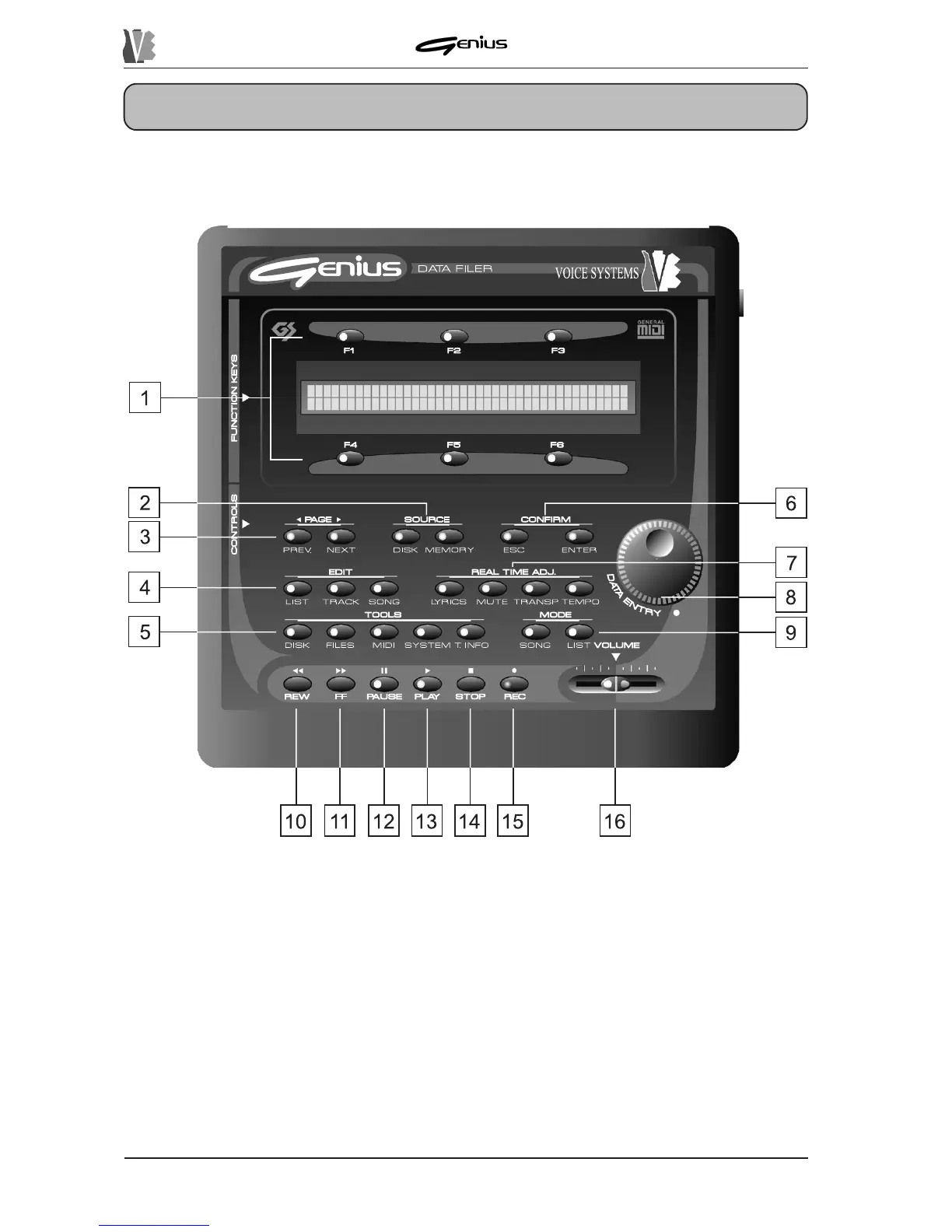
1. FUNCTION KEYS: these buttons can be used to select the functions or options selected
on the display in line with the button concerned. When the LED of the key is on, the key is
enabled.
2. SOURCE section: you can use these buttons to select the unit in which the files to be used
for the play, editing, copy or deletion functions are saved.
O [DISK]: selects the floppy disk inserted in the drive as currently active memory unit.
The key is not enabled if the drive is empty or the disk inserted is not
acceptable.
o [MEMORY]: enables the management of the data resident in the internal memory.


 To Next Page