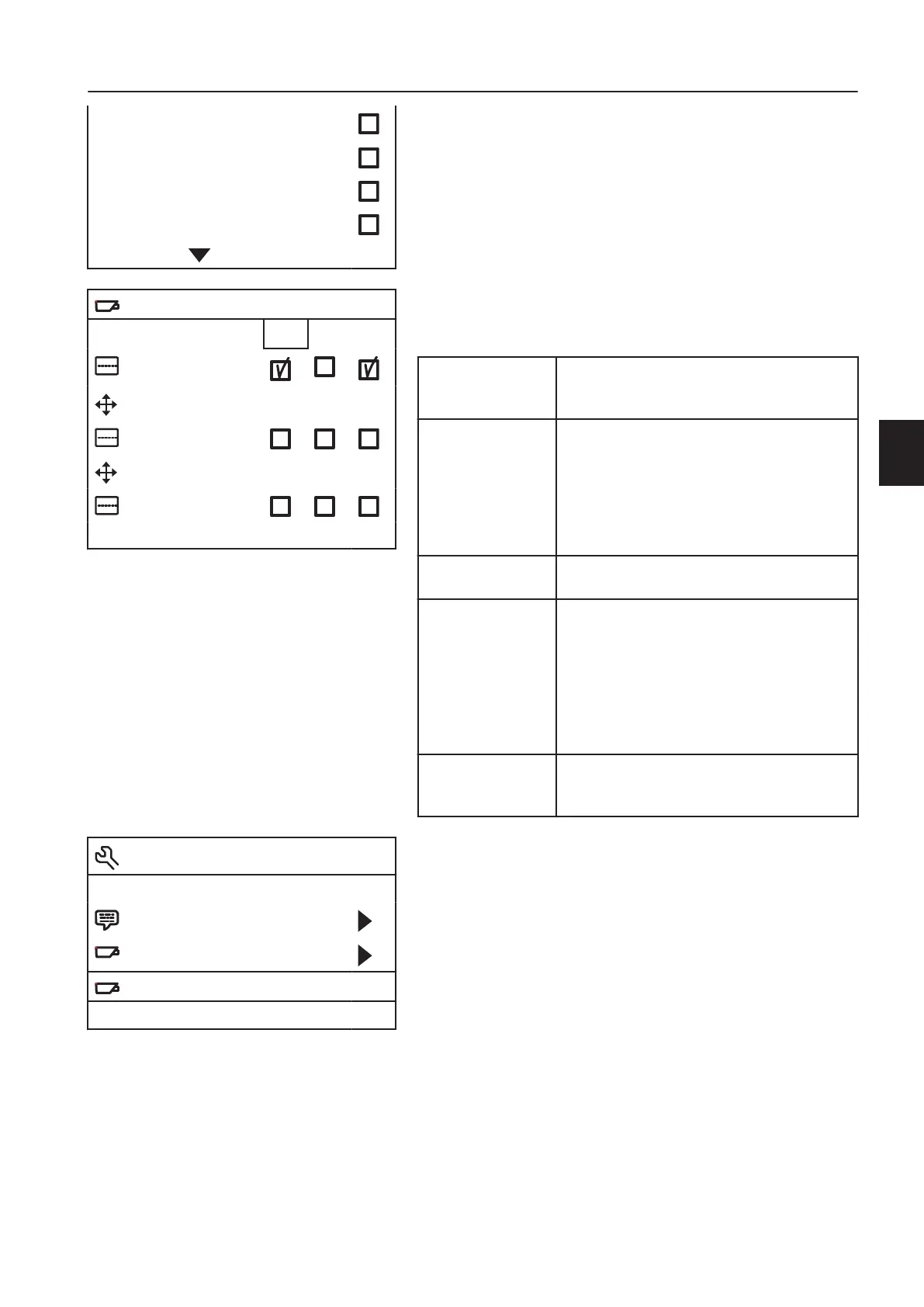
Camera settings (Camera settings) — press button 8 (Enter) to
select camera; C1, C2, or C3. Then scroll in the menu with the
plus and minus button.
Horizontal
reference line
(Hor. marker)
activates and deactivates a horizontal
reference line on the monitor's screen.
Position,
horizontal
reference line
(Marker pos.)
adjusts the position of the horizontal
reference line on the monitor's screen. 0 is
top of the screen and 100 is the bottom.
Change by scrolling down in the menu until
the numerical value is highlighted. Press in
button 8 (Enter) and then adjust with the
plus and minus buttons.
Vertical reference
line (Vert. marker)
activates and deactivates a vertical
reference line on the monitor's screen.
Position, vertical
reference line
(Marker pos.)
adjusts the position of the vertical reference
line on the monitor's screen. Adjustable
between 38 and 63. Left and right are
changed with the camera's mirror function.
Change by scrolling down in the menu until
the numerical value is highlighted. Press in
button 8 (Enter) and then adjust with the
plus and minus buttons.
Graticule
(Graticule)
this alternative activates a possible line of
travel on the screen for the machine when
reversing.
Video channel (Set video channel) — sets the video channel as
it is used by the scanner. It is possible to select; CH0 = channel
0 to CH7 = channel 7, and AUT = automatic.
Rear vision display Volvo Co-pilot
If the machine is equipped with Volvo Co-Pilot the back-up
camera image will be displayed on it.
The back-up camera is activated automatically when reverse gear
is engaged. It is also possible to choose to have the back-up
camera on the screen without reverse gear being engaged. The
back-up camera can be shown on full screen or half screen, which
means that the screen can be split and shared with another
function. The selection is made in the function's View selector.
Nederlands
Deutsch
Francais
Italiano
Camera settings
C1 C2 C3
Hor. marker
Marker pos. 50 50 50
Vert. marker
Marker pos. 50 50 50
Graticule
Operator menu
Language
Camera settings
Set video channel CH0
Other controls
Cab
145



 To Next Page