CLIMATE
}}
* Option/accessory.
231
WARNING
Do not use preconditioning if the car is equip-
ped with a heater*:
•
In unventilated spaces indoors. Exhaust
gases are emitted if the heater starts.
•
In locations with combustible or flamma-
ble material nearby. Fuel, gas, long grass,
sawdust, etc. may ignite.
•
When there is a risk that the heater’s
exhaust line may be blocked. For exam-
ple, deep snow inside the front right-hand
wheel housing can obstruct the heater’s
ventilation.
Remember that the preconditioning can be
started by a timer that has been set for a long
time in advance.
Editing a time setting
1. Open the climate view in the centre display.
2.
Select the
Parking climate tab.
3. Press the time setting that is to be changed.
> A pop-up window is shown.
4. Edit the time setting in the same way as
described in "Adding a time setting" above.
Related information
•
Preconditioning
*
(p. 228)
•
Preconditioning time setting* (p. 230)
•
Activating and deactivating time setting for
preconditioning* (p. 231)
•
Removing time setting for preconditioning*
(p. 232)
Activating and deactivating time
setting for preconditioning*
A time setting in the timer for preconditioning
can be activated or deactivated based on need.
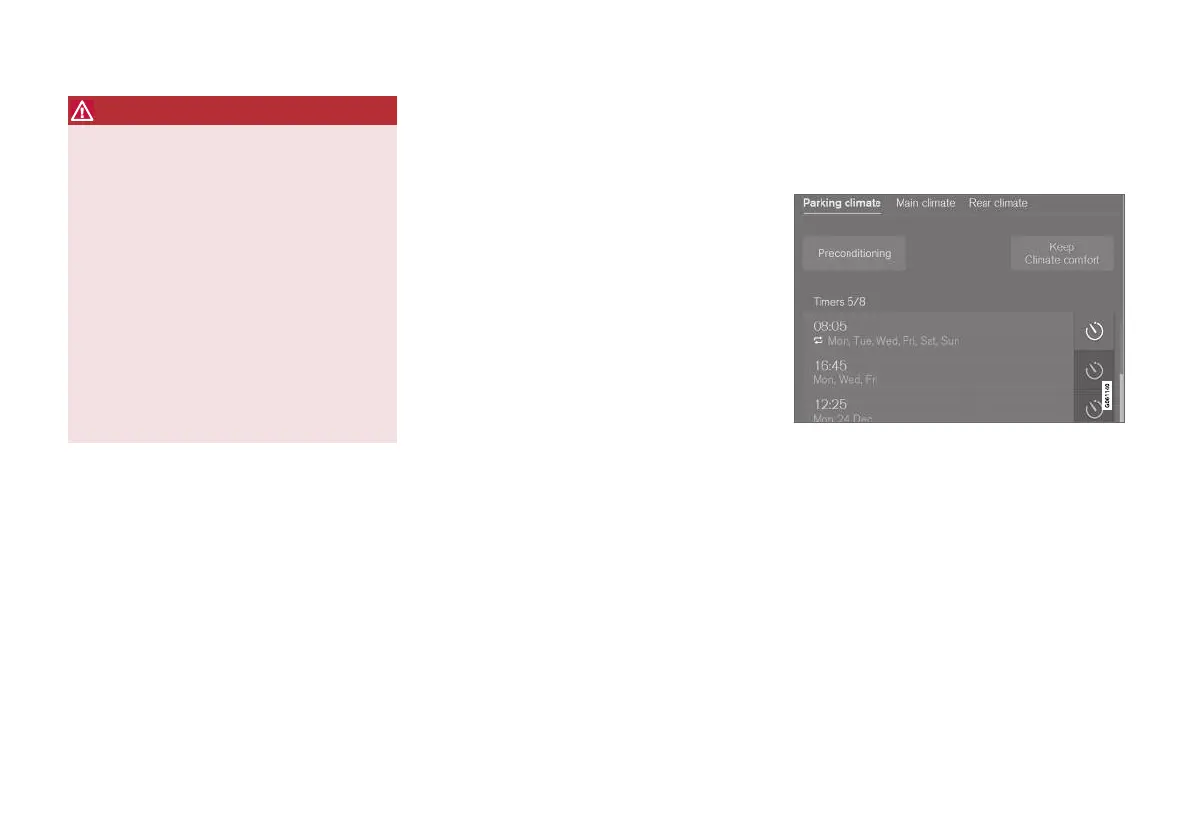
The timer buttons in the Parking climate tab in the cli-
mate view.
1. Open the climate view in the centre display.
2.
Select the
Parking climate tab.
3. Activate/deactivate a time setting by tapping
on the timer button to the right of the setting.
> The time setting is activated/deactivated
and the button illuminates/extinguishes.


 To Next Page