YOUR VOLVO
}}
* Option/accessory.
35
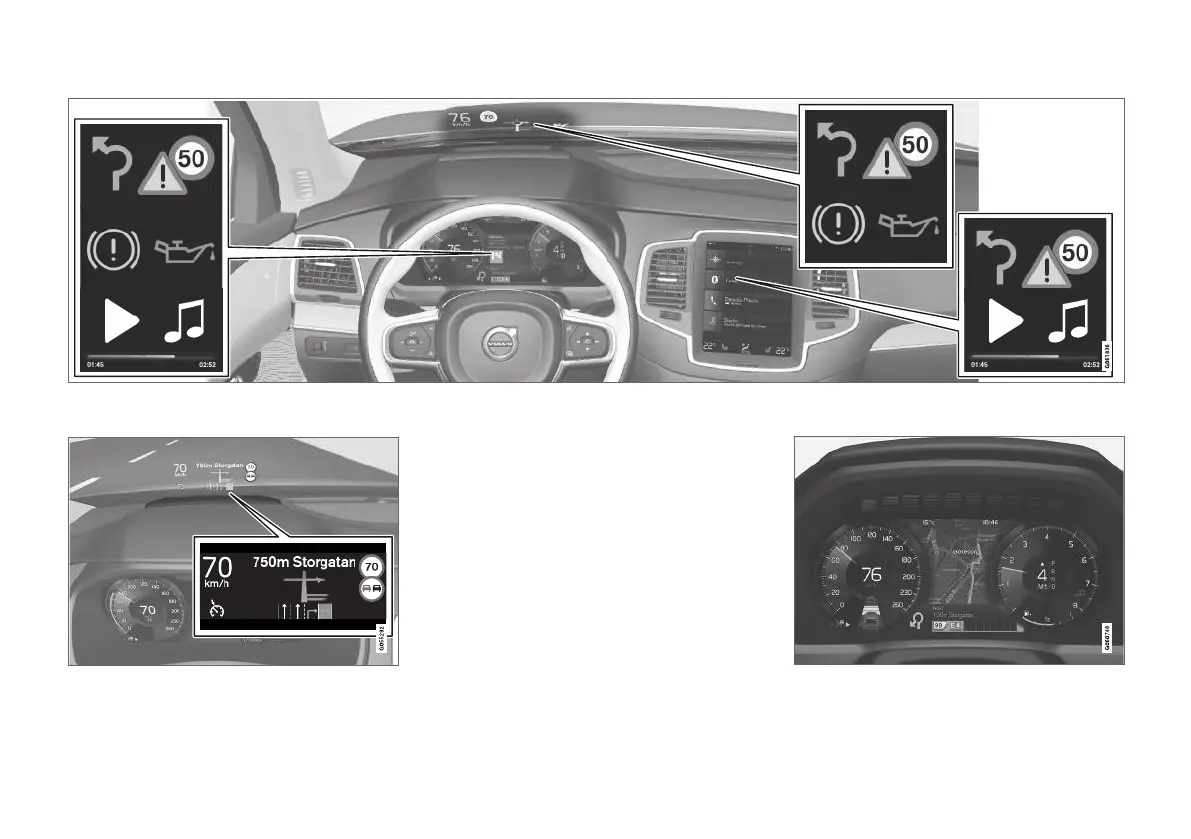
Different types of information are shown in different displays depending on how the information should be prioritised.
Head-up display*
The head-up display shows selected information
that the driver should deal with as soon as possi-
ble. Such information may, for example, include
traffic warnings, speed information and naviga-
tion* information. Road Sign Information and
incoming phone calls are also shown in the head-
up display. The display is operated via the right-
hand steering wheel keypad and via the centre
display.
Driver display
12-inch* driver display.


 To Next Page