STARTING AND DRIVING
* Option/accessory.
445
INDIVIDUAL
•
Adapting a drive mode according to individ-
ual preferences.
Select a drive mode to start from, and then adjust
the settings according to the desired driving cha-
racteristics. These settings are saved in an indi-
vidual driver profile.
An individual drive mode is only available if it is
first activated in the centre display.
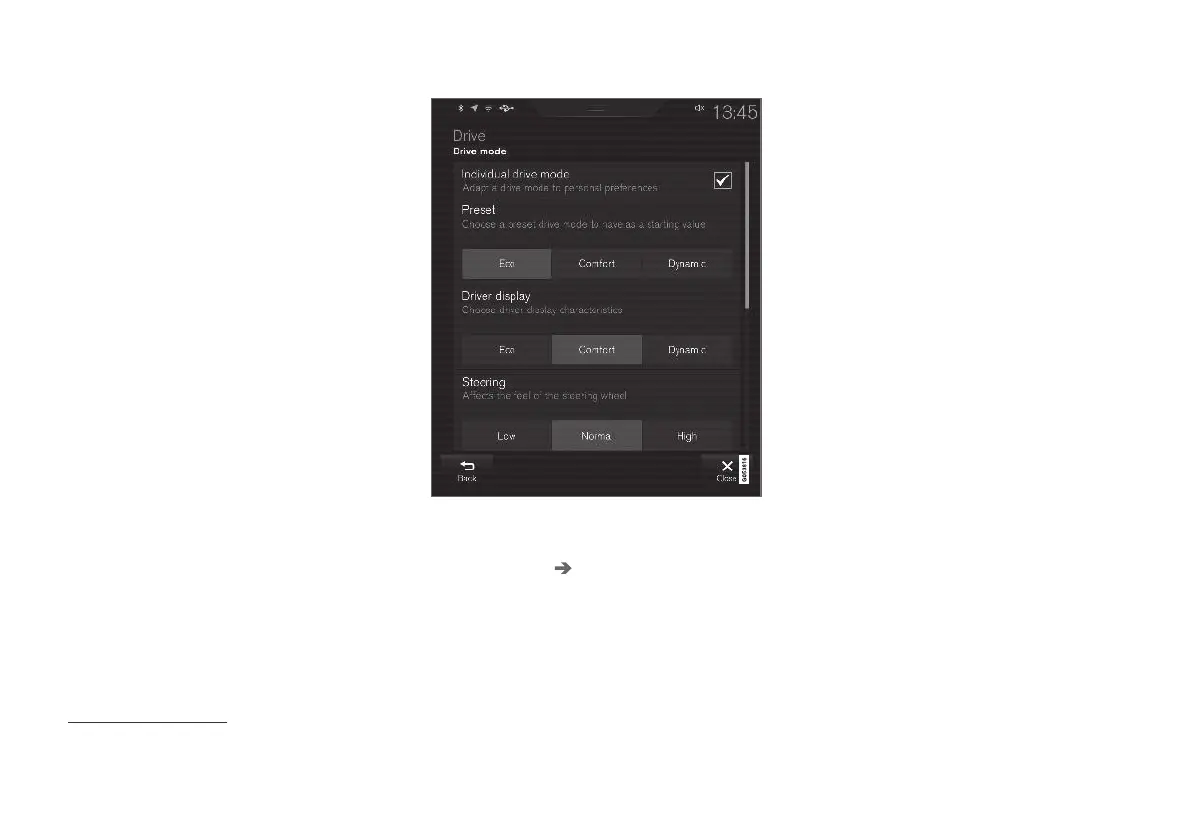
Settings view
3
for individual drive mode.
1.
Press
Settings in the top view.
2. Press My Car Individual Drive Mode and
select
Individual Drive Mode.
3.
In
Presets, select a drive mode to start from:
Eco, Comfort or Dynamic.
Possible adjustments apply to settings for:
•
Driver Display
•
Steering force
•
Powertrain Characteristics
•
Brake Characteristics
•
Suspension Control
•
ECO Climate
•
Start/Stop.
Related information
•
Changing drive mode* (p. 446)
•
Drive mode ECO (p. 446)
•
Economical driving (p. 459)
•
Start/Stop function (p. 449)
•
Low speed control* (p. 456)
•
Hill descent control* (p. 458)
•
All-wheel drive* (p. 443)
3
The figure is schematic - details may vary depending on car model or updated software.


 To Next Page