39
4.3 Using the desk handswitch (DPG)
4.4 Adjusting the height
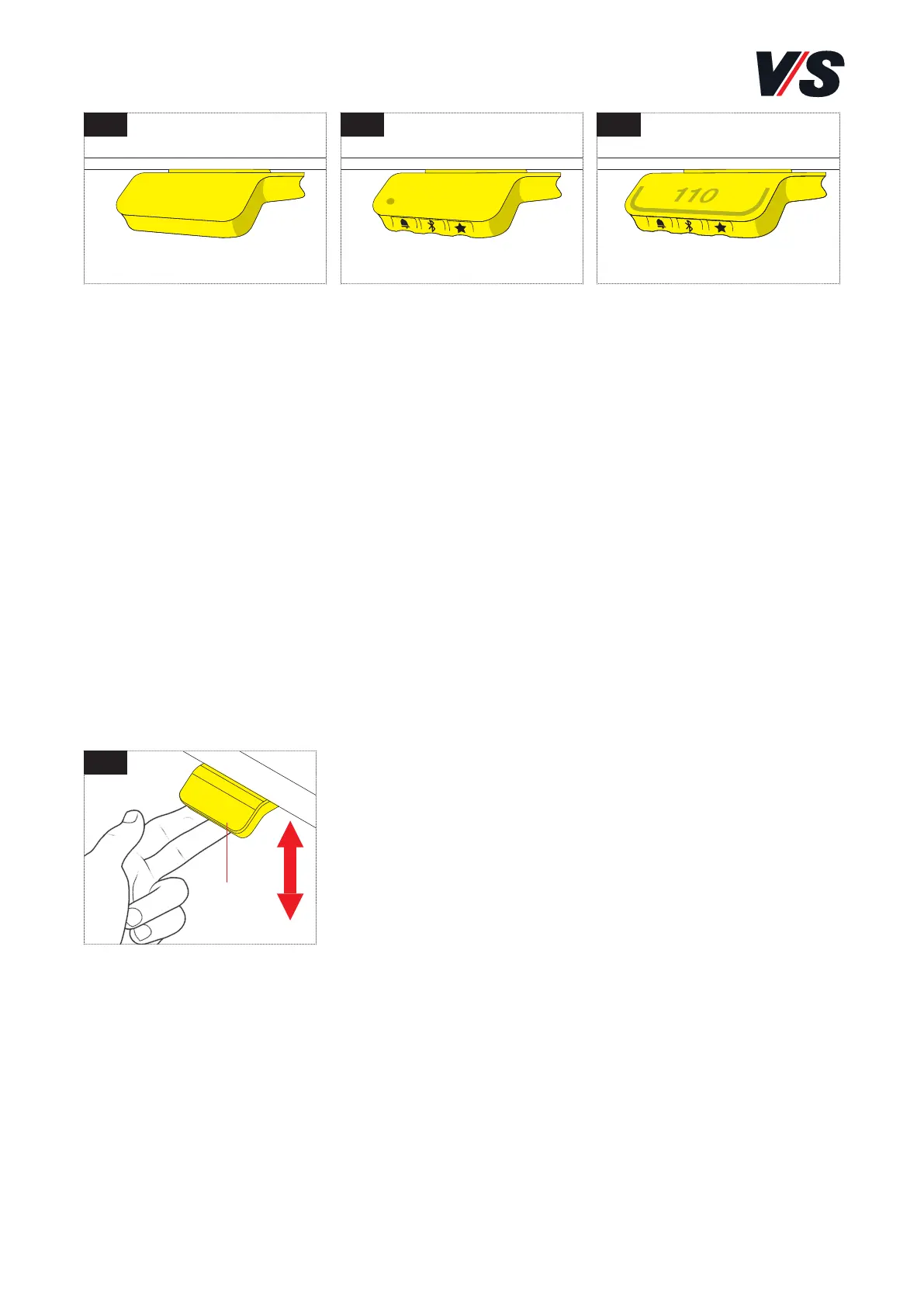
Three dierent handswitches with dierent functions are used to adjust
the heights of the desks:
Height adjustment
Press the handswitch (1) upwards to move the
desk upwards. Press the handswitch (1) down-
wards to move the desk downwards. The drives
continue to run for as long as you hold the hands-
witch (1) down. In the case of the memory-display
handswitch, the current height of the desk is
displayed in cm in the display.
- Soft start / soft stop: The drives are operated at reduced power for
a short time after starting or before stopping.
Standard
handswitch [Figure 1]
• Up/down function
Memory
handswitch [Figure 2]
• Up/down function
• 2 saved positions
• Reminder function
via LED
• Bluetooth®
Memory-display
handswitch [Figure 3]
• Up/down function
• 4 saved positions
• Reminder function
via light strip
• Bluetooth®
• Display
1 2 3
4
(1)



 To Next Page