53
1
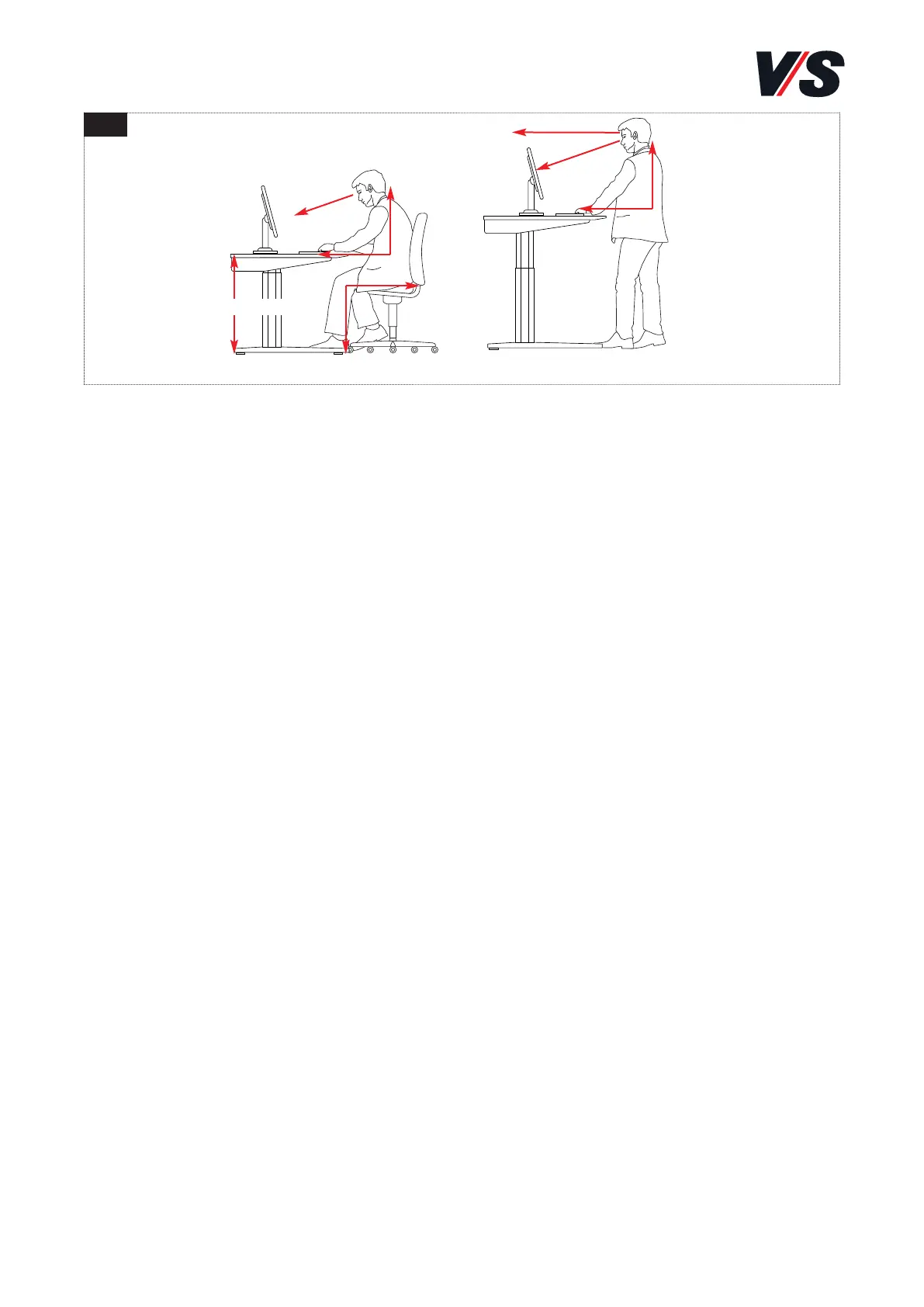
approx. 35°
50-60 cm
≥90°
≥90°
≥90°
68-76 cm
9. Notes on ergonomic use
- Seated/standing workplaces allow you to organize your work in a
particularly flexible way. Thanks to the possibility of adjusting the
height of the entire working area together with the screen and input
devices, it is possible to perform practically any activity either seated
or standing.
- Recommendations:
A. It is better to stand up frequently for short periods than to remain
standing for a long time.
B. You should avoid standing with a static posture.
C. 2 to 4 changes of posture per hour are advised [Figure 1].
- The screen should be positioned in such a way that there are no re-
flections on it due, for example, to the lighting or windows. The best
solution is to position the screen in such a way that it is located
between two lighting strips and you are looking at it parallel to a
window. The top line on the screen should not be above the horizon-
tal visual axis. To permit a comfortable head position, you should
look downwards at the centre of the screen at an angle of approxi-
mately 35° [Figure 1].
- The height adjustment mechanism also makes it easy to adjust the
correct seating height. If possible, only sit on furniture that is ergo-
nomically shaped and is height-adjustable. The backrest should be
shaped in such a way that the lumbar vertebrae are optimally sup-
ported. Observe the manufacturer's instructions about how to adjust
the chair exactly to your body size and shape.
Sitting Standing



 To Next Page