41
- Moving to saved positions
After you have saved the memory positions, you can move to them
easily by pressing and holding the handswitch. When a saved positi-
on is reached, the desk stops automatically. This allows users to
switch between standing and sitting without having to look at the
handswitch.
- When the desk stops at a saved position, the user can press the
handswitch for one second and the desk moves away from the saved
position in the direction in which the switch was pressed. Alternati-
vely, the user can also release the handswitch and then press it
again to move past the saved position.
- Clearing saved positions
Press the star button for eight seconds to clear all the saved positions.
The LED or light strip flashes red when the operation is completed.
4.6 Button lock/safety mechanism in private premises
The handswitch (VS part no. 88-668) must be secured using a locking
function when the desk is used in private premises. If this function is not
present, please contact the VS Customer Service (Tel. +49 (0)9341/880)!
Caution! If the handswitch is locked, a padlock lights up in the
display. The light turns red for one second.
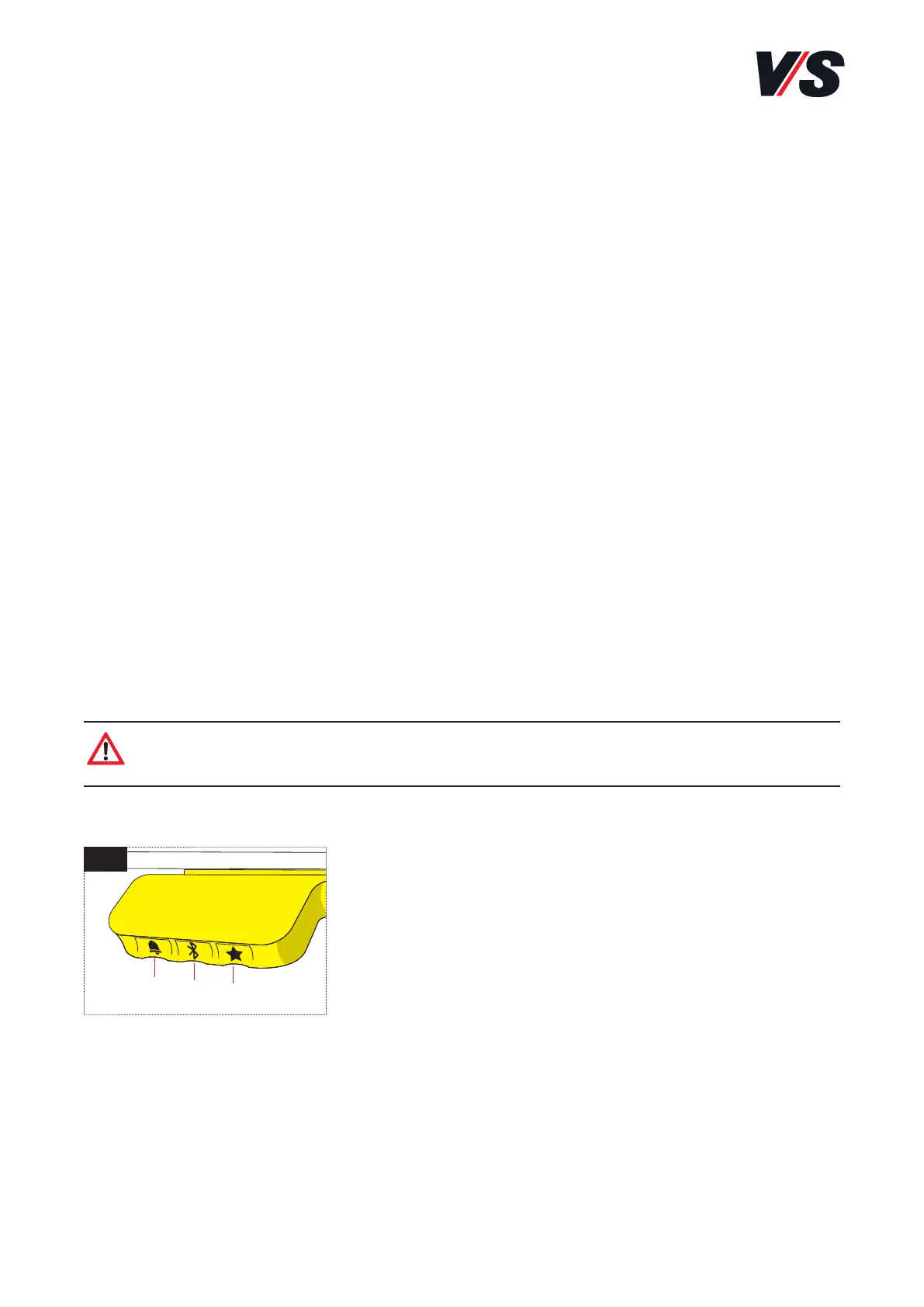
To unlock the control element [Figure 1], press the buttons bell (1) -
Bluetooth (2) -star (3) immediately after one
another (max. 1 second interval). When the
handswitch is unlocked, the height is shown in
the display. The handswitch is now activated.
You can now press the handswitch to adjust
the desk as required.
1
(1)
(2)
(3)



 To Next Page