42
The handswitch then remains activated for a further 5 seconds. If no but-
ton is pressed again during this time then the handswitch is locked again.
4.7 Bluetooth
®
connection
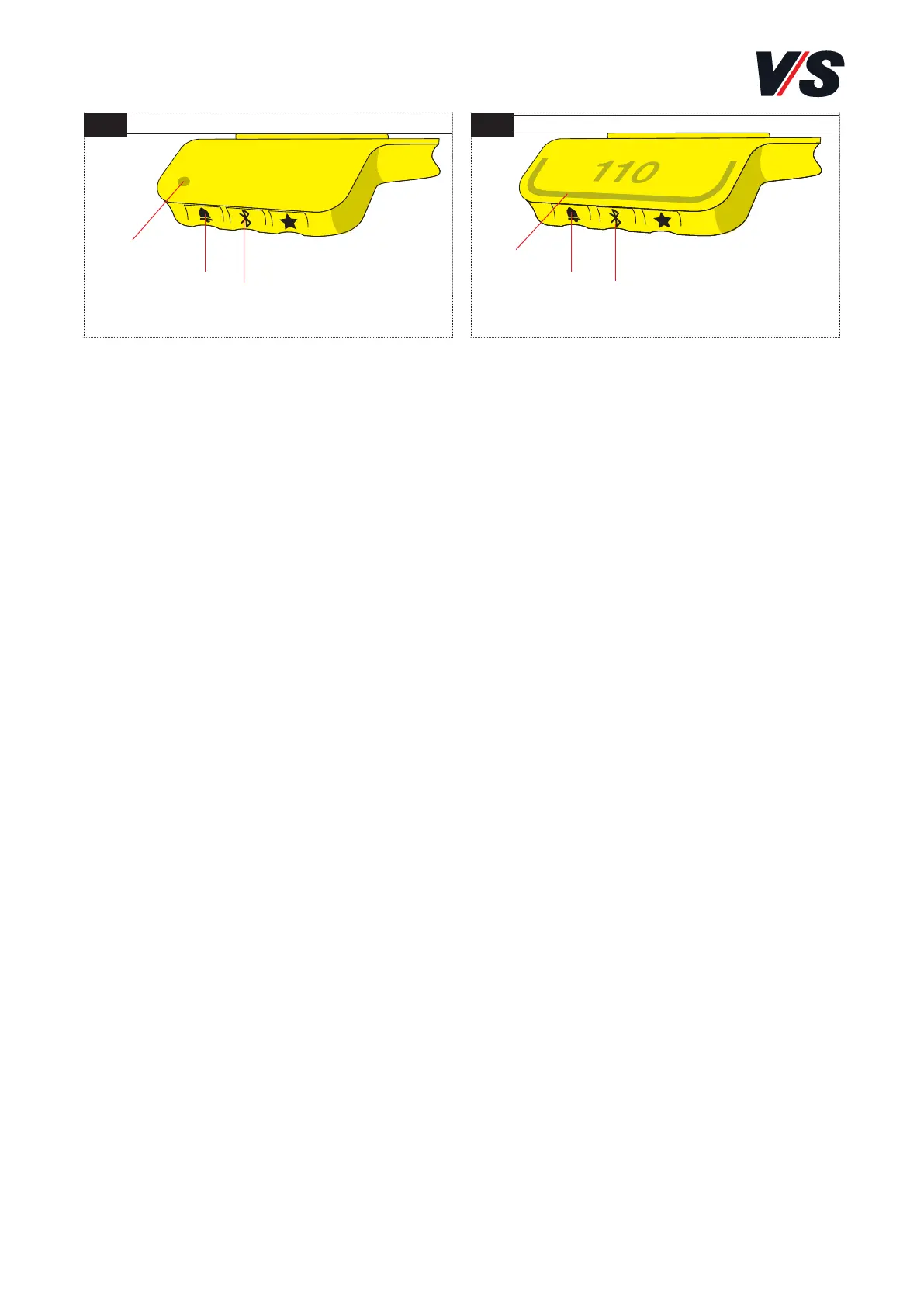
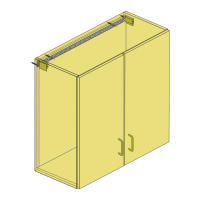
Memory and memory-display handswitches [Figure 1-2]
Download the Desk Control App applicable to your unit from the App
Store or Google Play and connect the app to your unit: Press the
centre of the Bluetooth® button(1) for 2 seconds to activate con-
nection mode. A flashing blue light in the LED (3) or light strip (4)
shows that connection mode is active.
On the memory-display handswitch, the display indicates the desk’s
Bluetooth ID. This consists of “DESK” followed by a four-digit num-
ber – search for this ID in the list of nearby desks.
4.8 Reminders / setting the reminder interval
Memory and memory-display handswitches [Figure 1-2]:
On the left-hand side of the handswitches, there is a “reminder
button” (2) which is indicated by a bell icon. You can press this
button to set an interval after which you want to be reminded to
change your position.
On the memory handswitch, the LED (3) glows in three different
intensities, each of which indicates an interval. On the memory-
display handswitch, each white block in the light strip (4) represents
an interval.
1 2
(3)
(4)
(2)
(1)
(1)
(2)



 To Next Page