52
Installation Manual
7
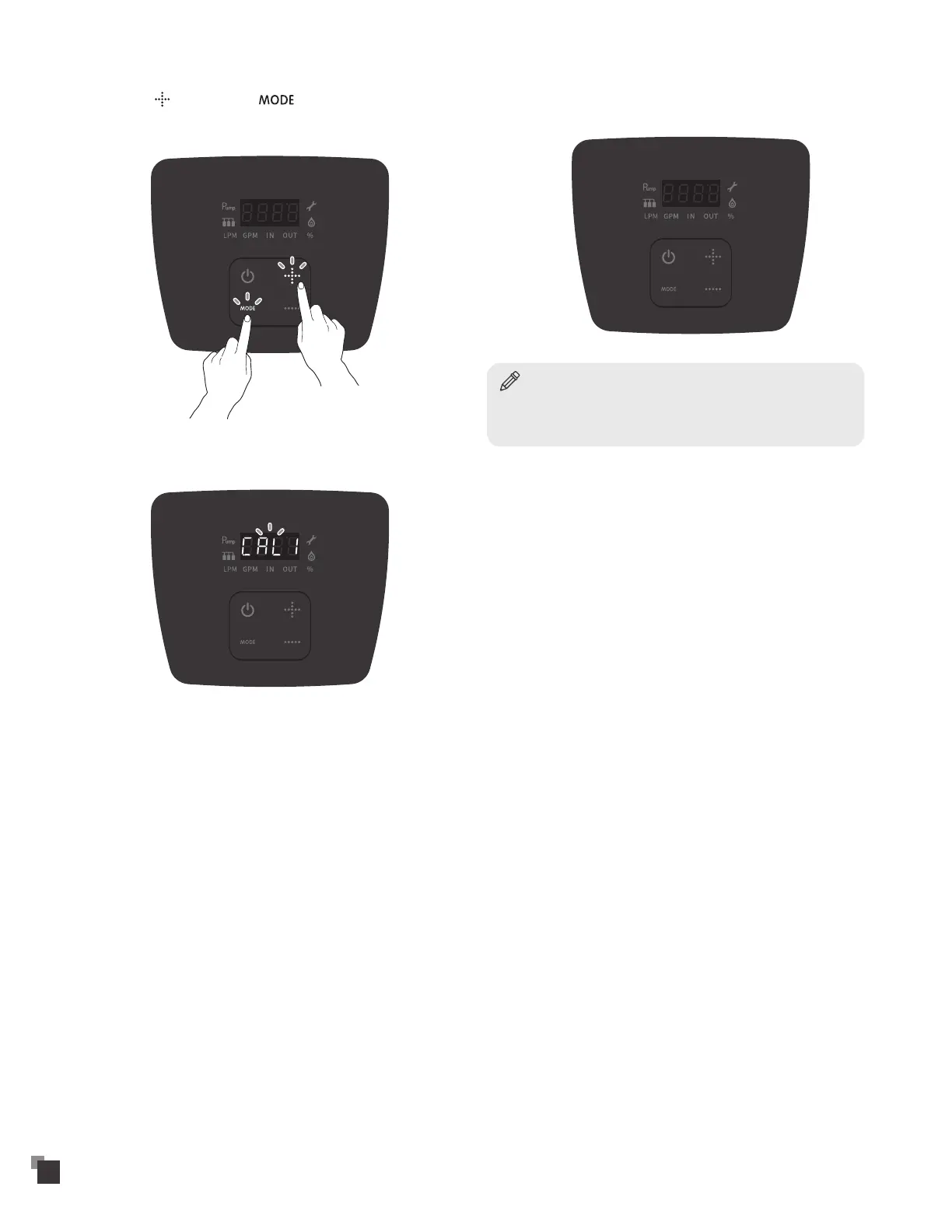
Touch the button and the button simultaneously
for more than 5 seconds. "CAL1" appears on the digital display
and start flashing.
8
"CAL 1" flashes for about 6 minutes. When "CAL1" is flashing, it
means the heat capacity is adjusting.
9
After the heat capacity adjustment is finished, "CAL1"
disappears from the digital display. Close all faucets.
Notice
After the display goes blank and the faucets turned off, press the power
button to turn on the water heater. Adjust the temperature back down
to 98°F or to desired temperature.


 To Next Page